Oleg MelnikovYouTube
free resource

Claude Code for B2B outreach (35% reply rate)

Build a personalized B2B outreach system with Claude Code. It finds the right leads on LinkedIn, scores them, and writes value-first messages with custom visuals. No generic pitches, just outreach worth replying to.

Jump to the setup steps or read the whole thing in writing.

21K views11:50 longPublished Apr 2026

Setup guide

Download and install VS Code from code.visualstudio.com.

This is where you'll run Claude Code and build your outreach system.

Why this gets replies when normal outreach does not

Because every message carries something made specifically for that person before any ask, which costs the recipient nothing to accept.

35%
Reply rate on the run in the video
4
Stages, from finding to sending
1
Thing made for each prospect before any ask
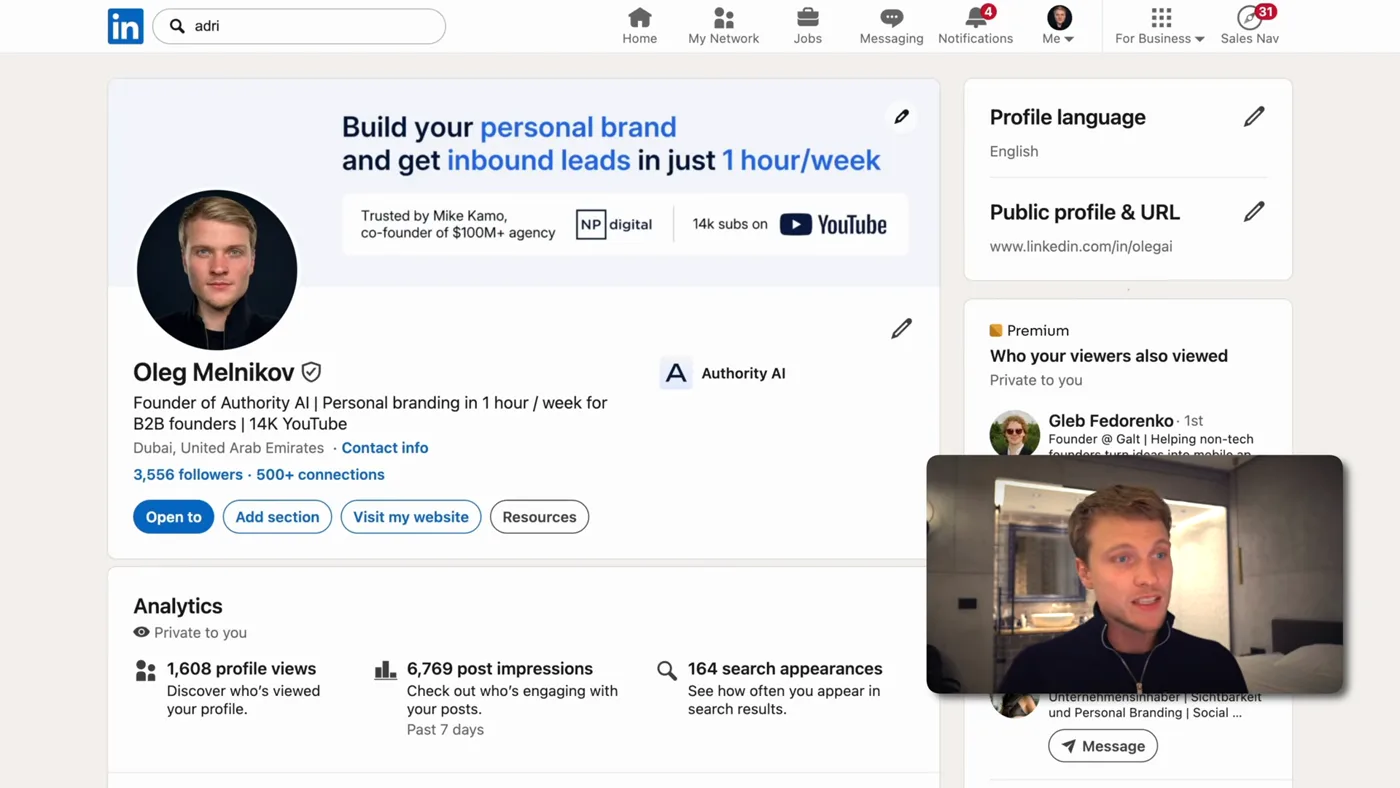
The other half of the reply rate, and the half nobody automates: the profile the prospect checks before answering.

Here is the message that started the conversation with a prospect I will call bob, and the reason the whole system exists:

What the message actually said

Your LinkedIn profile packaging is not converting as well as it could. Here is an improved version. Take it for free.

Attached: a professional banner, a better profile picture and sharper headline text, all made for him specifically.

He replied "sure, sounds good, here is my email, send it over". That is a conversation started, from cold, with no pitch in it.

The reason it works is not that AI wrote it. It is that it costs the recipient nothing to say yes. A normal cold message asks for fifteen minutes before you have given anything. This one hands over something good and asks for nothing. At that point replying is the path of least resistance.

And the thing that makes it possible at any scale is that the asset is generated, so doing it for eighty people costs about what doing it for one used to.

The four stages
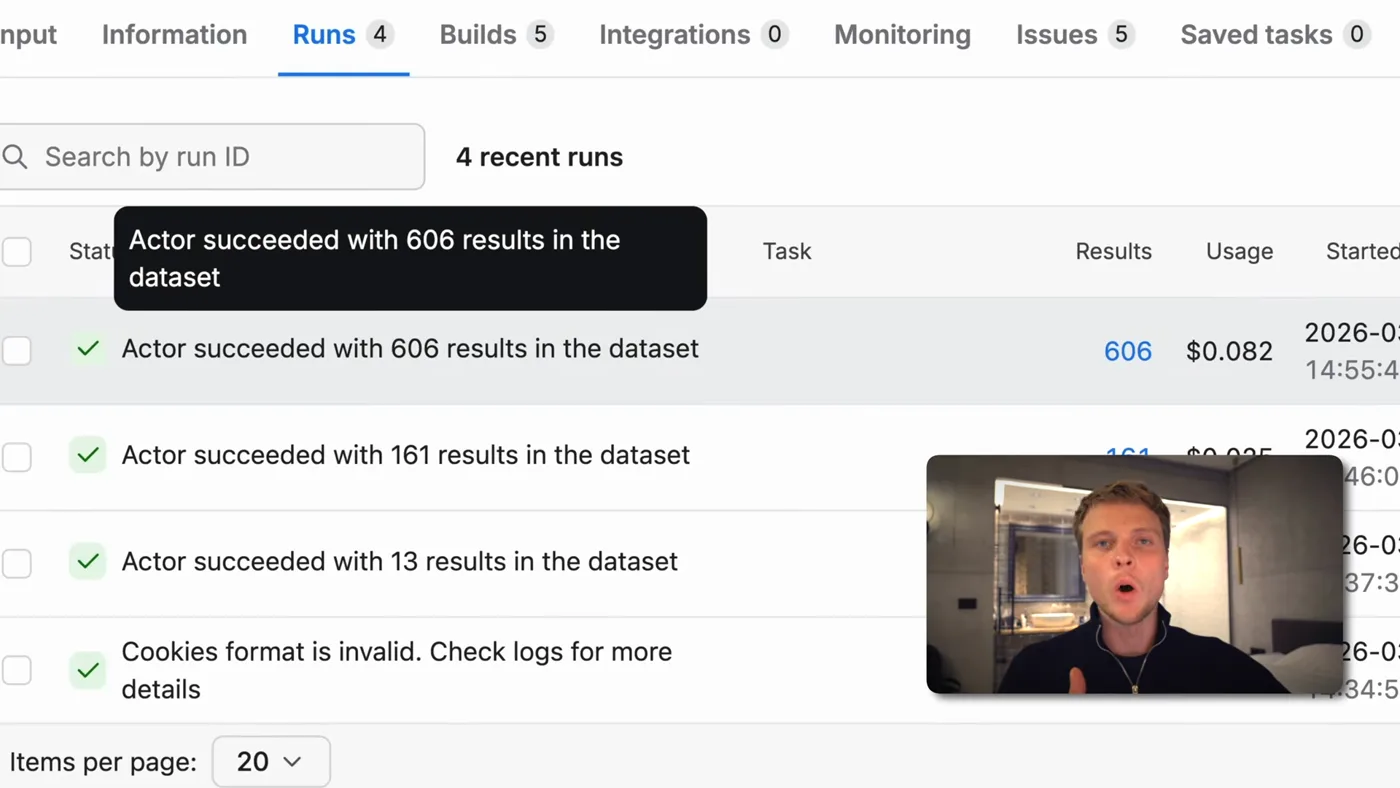
A run, stage by stage, with the row count each one returned. This is where you find out a source went quiet.
  1. Find. Sales navigator search, then connection requests with no message attached.
  2. Extract. Once they accept, scrape your own first-degree connections into a CSV.
  3. Score. Claude reads each profile and scores it one to ten against criteria you wrote, then builds you a dashboard.
  4. Give. For the ones worth it, generate a real piece of free value and send it.

Stage three is the one that makes the maths work. Everything else is mechanics.

Finding the leads
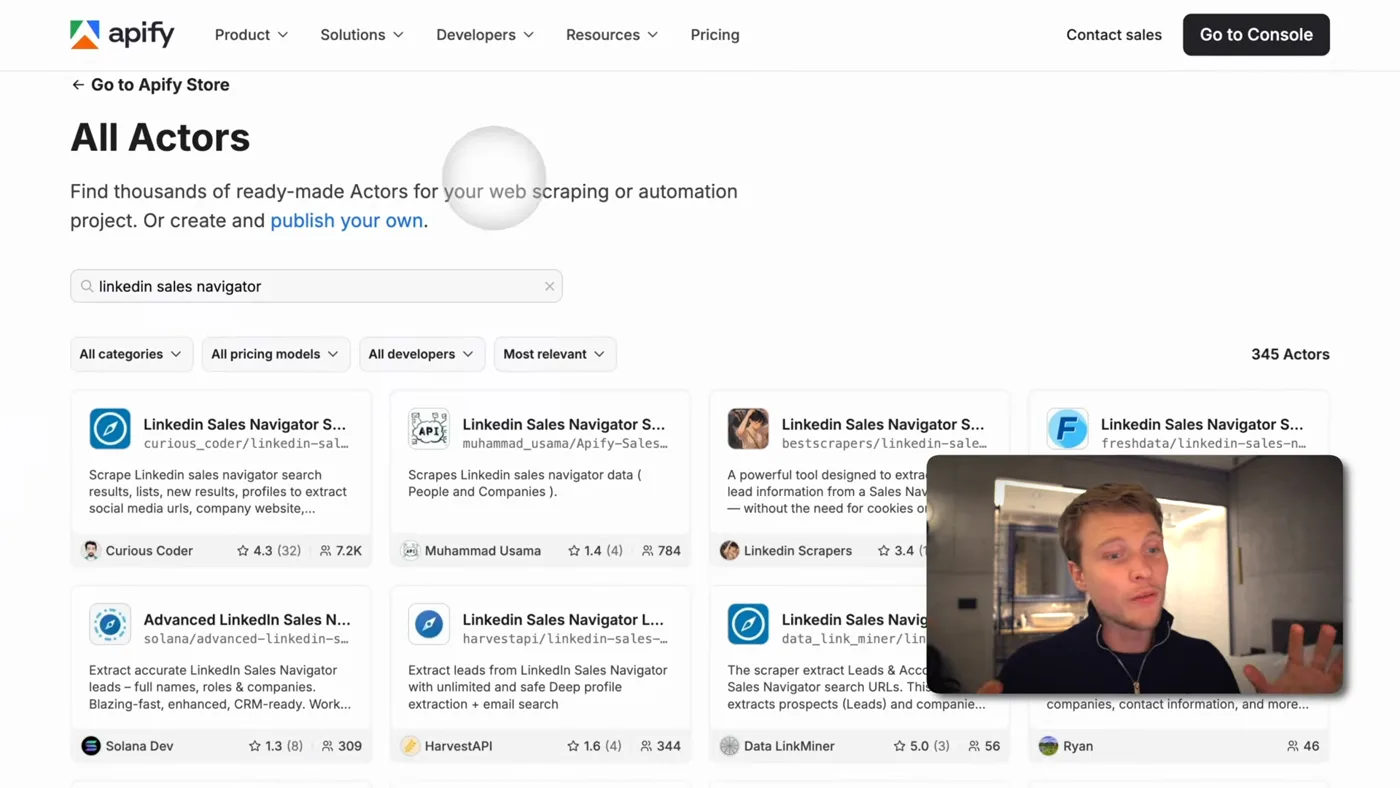
The scrapers this stage runs on. Which one you pick decides what fields you get back.
  1. 1Build the search in sales navigator

    Filter by location, job title, company size, whatever defines your buyer. Save the list. This is the only part of the system that is entirely judgement, and getting it wrong makes everything downstream irrelevant no matter how good the automation is.

  2. 2Send connection requests with no message attached

    This is counterintuitive and it matters. Send the connection request empty. No note, no pitch.

    A request carrying a message reads as a sales approach before anyone has decided whether they like you, and it gets accepted less often. A bare request costs the other person nothing to accept. You are buying the right to send a real message later, and that is worth more than getting a pitch in early.

  3. 3Export your accepted connections

    Once people have accepted, filter the same search down to first degree connections. These are the people you can now actually message.

    Copy that search URL and give it to a sales navigator scraper on Apify, along with your linkedin cookies (a chrome extension exports them; the scraper's own page links the one it wants). it needs the cookies because it is reading your sales navigator, not a public page.

    Out comes a CSV. Mine was 600 rows: founders, CEOs and business owners, each with a headline, an about section, a company and a URL. That file goes into the Claude Code project.

Scoring them, which is where the leverage is

Scraping 600 people is easy. The expensive resource is your attention, and scoring is what protects it.

  1. 4Define what a good lead looks like, in your own words

    Write down what makes a lead worth your attention. Mine is company size, whether they are visibly active on LinkedIn, location, and apparent buying power. Yours will be different and that is the point.

    Then have Claude score all of them one to ten against those factors, using an Apify LinkedIn profile scraper to read each person's posts, about section and work history rather than guessing from the CSV.

    Expect to iterate here

    My first scoring pass did not reflect what I actually valued. It took a few rounds of reading the scores, disagreeing, and saying why I disagreed, before the numbers matched my judgement. That is not a failure of the system, it is the system working: you are extracting a rule you already had but had never written down.

  2. 5Get a dashboard instead of a spreadsheet

    Ask for an HTML page: every lead, searchable, filterable by score. It builds it and runs it locally.

    This sounds cosmetic. It is not. Filtering to score eight and above, and seeing that 143 of 600 were disqualified outright, is what makes the next stage affordable. You are about to spend real effort per person, so the list has to be short and it has to be right.

The number that made this click for me: 143 of 600 were disqualified outright, on wrong country, wrong company size, or no sign of ever having bought anything like what I sell. That is 143 personalised assets not made and 143 conversations not started, which is hours back.

The free value, and how it gets made

  1. 6Generate the free value, one per lead

    In my case the gift is an improved LinkedIn profile: a new banner, a better profile picture, sharper headline text.

    The trick is teaching it what good looks like before asking. I give it several well-packaged profiles, including my own, and ask it to read the images and work out what makes them work: what the banner communicates, the visual hierarchy, where the social proof sits. Then it applies that to each lead.

    The images come from an image model (I use kie.ai for this). The output lands in the same dashboard, so you see the original profile and the improved one side by side before anything is sent.

What makes a good gift, generally: it should be specific to them, obviously effortful, and useful even if they never reply. A profile redesign fits because it is visibly custom and they can just use it.

A landing page teardown, a rewritten headline, a competitor analysis of their market: same shape, same system, different output. What does not work is anything that is really a demo of your service with their logo on it. People can tell.

What it costs

Claude plan
Pro, $20 a month
LinkedIn sales navigator
A paid LinkedIn product, and the one real cost here. Billed by LinkedIn, not by this system.
Apify scraping
$5 of free credit a month covers a few hundred profiles
Image generation
Cents per banner
The actual constraint
Your attention, which is why the scoring stage exists

The honest part about automating LinkedIn

The most upvoted question under my outreach videos is whether this gets you banned, so here is a straight answer rather than a comfortable one.

Automating LinkedIn is against LinkedIn's user agreement. And using Claude to work around another platform's terms is against Anthropic's usage policy too. Those are both true regardless of how careful you are.

I am not going to give you a safe daily number, because LinkedIn does not publish one and every figure you find online is somebody guessing. I am also not going to hand out ways to avoid detection.

What I would actually do, and what I recommend:

  • Automate the research, the scoring and the drafting. That is where the hours are, and none of it touches LinkedIn's automation rules.
  • Send by hand. It is a few minutes a day for a list this short, and the list is short precisely because the scoring worked.
  • Keep the volume human. The entire premise here is depth per prospect. If you are sending hundreds a day you have rebuilt the thing this was meant to replace.

The browser-driving version of this, using Claude Cowork, is on The cowork outreach page, and it carries the same caveat. If you have not set Claude Code up, Start here.

If you get stuck

The things that actually go wrong, taken from the questions people ask under the video.

I cannot find the source code anywhere

The community is free and still open, and the files sit in the Classroom section once you have joined: skool.com/ai-automation-7100. The link in some of the older video descriptions is stale, which is what most of this confusion is.

If you would rather skip the signup entirely, these are public on GitHub right now and need no account:

They are all the same shape as what this page describes, so the setup steps above still apply.

Will this get my LinkedIn account restricted?

Straight answer: There is real risk, and you should decide knowing that. Automating LinkedIn is not a grey area, it is against LinkedIn's user agreement in plain words. LinkedIn says automated inauthentic activity can lead to temporary or permanent restriction of your account. In practice what people usually meet first is a block on sending invitations.

Worth knowing too: Anthropic's usage policy forbids using Claude to get around another platform's terms. so driving LinkedIn this way is against both sets of rules, not just LinkedIn's.

The thing that actually changes your exposure is whether your own logged-in account is doing the automated work. Reading public pages through a third party scraper does not put your account in the loop. A tool driving your session with your cookies does.

So the lower-risk shape of this, and the one I would run:

  • Automate the research: finding leads, reading public pages, writing the draft
  • Send from your own account yourself, at a human volume
  • Never point it at an account you cannot afford to lose

I will not give you tricks for looking human to LinkedIn's detection. People do post them, and following them is how you end up arguing with an appeal form. Do not quote a "safe" daily number either: LinkedIn does not publish one, and every figure you see online came from a vendor blog. What LinkedIn does say is what triggers it, which is more useful: a lot of invitations in a short time, and invitations that get ignored or marked as spam.

There is no .env file in the folder I downloaded

Correct, and on purpose. .env is where your private keys live, so it is deliberately kept out of the repo. A public folder with someone else's API keys in it would be a gift to whoever found it.

You create it yourself, once. The projects now ship a .env.example to copy:

# macOS or Linux
cp .env.example .env

# Windows PowerShell
Copy-Item .env.example .env

Or just make it by hand in VS Code: click the new file icon in the left panel and name it exactly .env, dot and all. Then paste your keys in, one per line, no quotes and no spaces around the =.

Put it in the project root, the folder that has CLAUDE.md in it, not inside app.

If you cannot see the file after making it, some setups hide files that start with a dot. It is there.

The terminal says “command not found: claude”

Installing the Claude Code extension in VS Code does not give you the Claude terminal command. The extension keeps a private copy for its own chat panel. That catches almost everyone, and it is not a broken setup.

To get the command, install Claude Code itself:

# macOS or Linux
curl -fsSL https://claude.ai/install.sh | bash

# Windows PowerShell
irm https://claude.ai/install.ps1 | iex

Then close the terminal window completely and open a new one. Skipping that is the second most common reason it still says not found. Check it worked with Claude --version.

Still not found on a Mac? Your PATH is missing the folder, so run these two lines:

echo 'export PATH="$HOME/.local/bin:$PATH"' >> ~/.zshrc
source ~/.zshrc

Claude doctor prints a full health report if you are still stuck. And if you would rather never touch a terminal, the Claude Code desktop app does the same job with buttons.

One thing worth knowing before you install anything: Claude Code needs a paid Claude plan (Pro or higher) or an API account. The free claude.ai plan does not include it, so it can install perfectly and still refuse to sign you in.

What does this actually cost to run?

Claude Code comes with a Claude subscription: Pro at $20/month, or Max from $100/month for five or twenty times the usage. Usage is included, there is no per-run charge. The free plan does not include Claude Code at all.

Inside Claude Code, /status tells you whether you are on a subscription or an API key, and /usage shows how close you are to your plan limit.

Prices and free tiers move. These were checked in August 2026.

Do I also need to pay for the API keys?

Yes, and it is a separate bill. Mixing the two up is what causes most of the confusion.

The API keys the pipelines use are pay per token, prepaid, and completely separate. A Claude subscription does not fund an API key.

The free tiers genuinely cover trying this out: Apify's free plan includes $5 of usage a month, and a scrape of a few dozen profiles costs cents. Google AI Studio has a free tier for the analysis.

Prices and free tiers move. These were checked in August 2026.

It says “credit balance too low, add funds”

That message is about the Anthropic API, which is prepaid pay per token. It is not about your Claude subscription, and a Pro or Max subscription never funds an API key. They are two different products with two different bills.

If you meant to use the API, add credit at platform.claude.com under Billing, and switch on auto reload so a long run cannot die halfway.

If you did not mean to use an API key, you probably have one sitting in your environment, and a key set there overrides your subscription login. Check with echo $ANTHROPIC_API_KEY on a Mac. If it prints something, remove it and run /login inside Claude Code to sign in with your subscription instead.

Questions people ask

Why does this get a 35% reply rate
Because the message is not a pitch, it is a gift. Instead of asking for a call, it says your LinkedIn packaging could convert better, here is an improved version, take it for free, and attaches a genuinely good banner and profile picture made for that person. That is very hard to ignore and costs the recipient nothing, so the reply is easy.
Should I send a note with the connection request
No. Send the request empty. A request carrying a message reads as a sales approach before the person has decided anything about you, and gets accepted less often. A bare request costs them nothing. You are buying the right to send a real message once they have accepted, which is worth more than getting a pitch in first.
How do I scrape LinkedIn sales navigator leads
Build and save the search in Sales Navigator, filter it to first-degree connections, then copy the search URL into an Apify Sales Navigator scraper along with your LinkedIn cookies, which a Chrome extension exports for you. It returns a CSV with headline, about section, company and profile URL for every result, and that file goes into your Claude Code project.
Is this the same as clay
It does the same job: enrich a lead list and score it. The difference is that this is a folder you own, so you can change the scoring rules by saying what you want rather than fitting your thinking into someone else's interface, and you pay for the scraping rather than for a platform. The trade is that nobody supports it but you.
How automated is this really
About 95%, and the last 5% is deliberate. Finding, scoring and drafting are handed over. Deciding who is worth the effort and reading the message before it goes are not. This system does more work per prospect than a human would, not less, which is the whole reason it gets replies.
How many leads do I actually end up messaging
Far fewer than you scrape, and that is the point. From 600 connections, 143 were disqualified outright and only the ones scoring eight or above were worth a personalised asset. The value of the scoring stage is not the leads it finds, it is the ones it stops you spending an hour on.
Will LinkedIn ban me for this
Automating LinkedIn is against LinkedIn's user agreement, and using Claude to work around another platform's terms is against Anthropic's usage policy too. There is no published safe daily number and anyone quoting you one is guessing. The lower risk shape, and the one I would recommend, is to automate the research, the scoring and the drafting, which is where all the time goes, and send the messages by hand.

Cold messages work harder when your profile backs them up. Prospects look you up on LinkedIn before they reply. Boldane builds that authority for founders: one hour of talking a week, turned into a presence your market trusts.