Oleg MelnikovYouTube
free resource

Claude Code X/Twitter content system

Study what actually works in your competitors' tweets, then generate ready-to-publish content written in your own voice and for your own niche.

Jump to the setup steps or read the whole thing in writing.

7K views15:17 longPublished Apr 2026

Setup guide

Download and install VS Code from code.visualstudio.com.

This is where you'll run Claude Code and the Twitter content app.

What the output looks like

Two columns: the competitor post that worked on the left, your post using the same structure on your own subject on the right, with the infographic already drawn.
The original on the left, what the system wrote on the right. The subject changed, the mechanism did not.

The dashboard is two columns. Left: a competitor post that went viral. Right: your post, using the same structure on your own subject. Side by side, so you can see exactly what was borrowed and what was written.

Some of yours come with a generated infographic, some with a personal photo, some with nothing, because on X a plain text post is competitive and a feed where everything is packaged looks like a brand account.

Why X is the platform where this pays
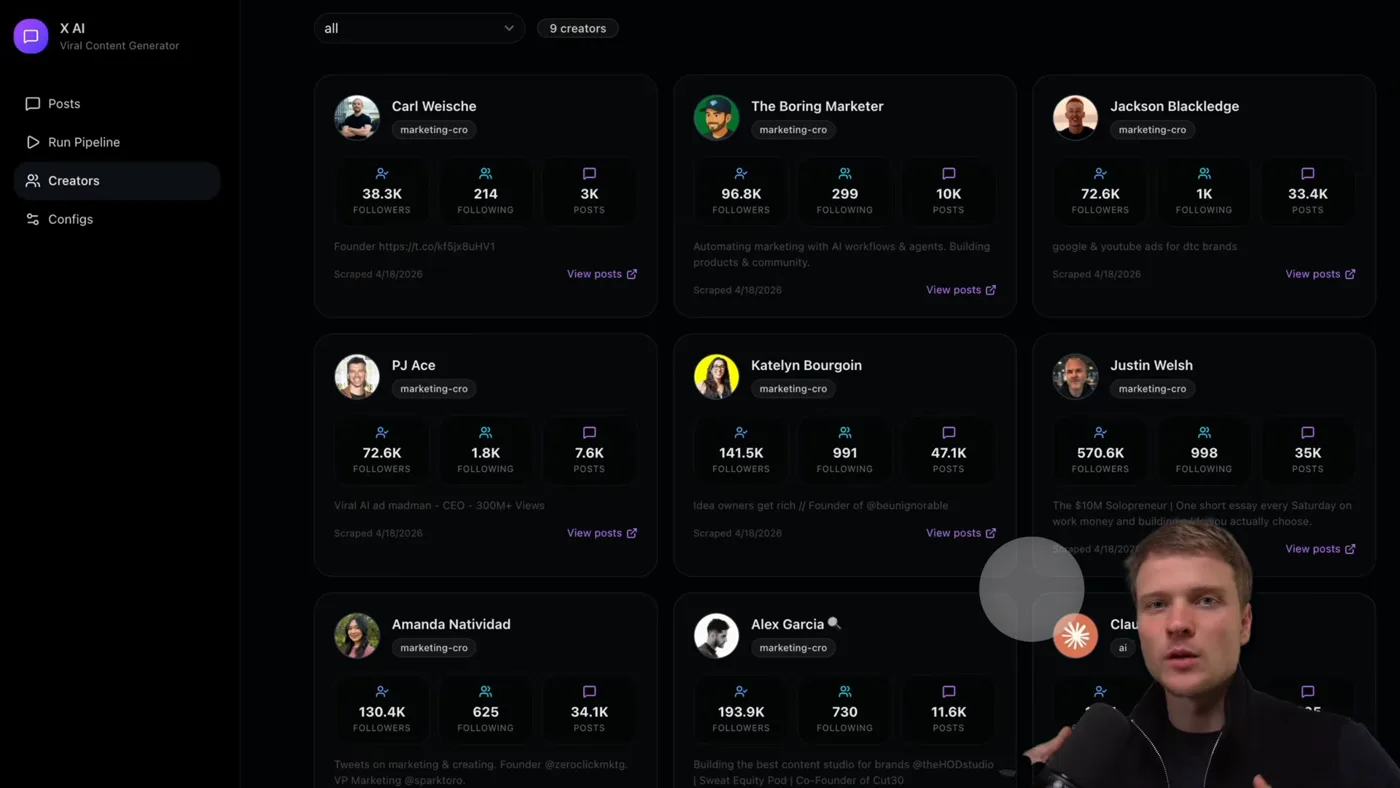
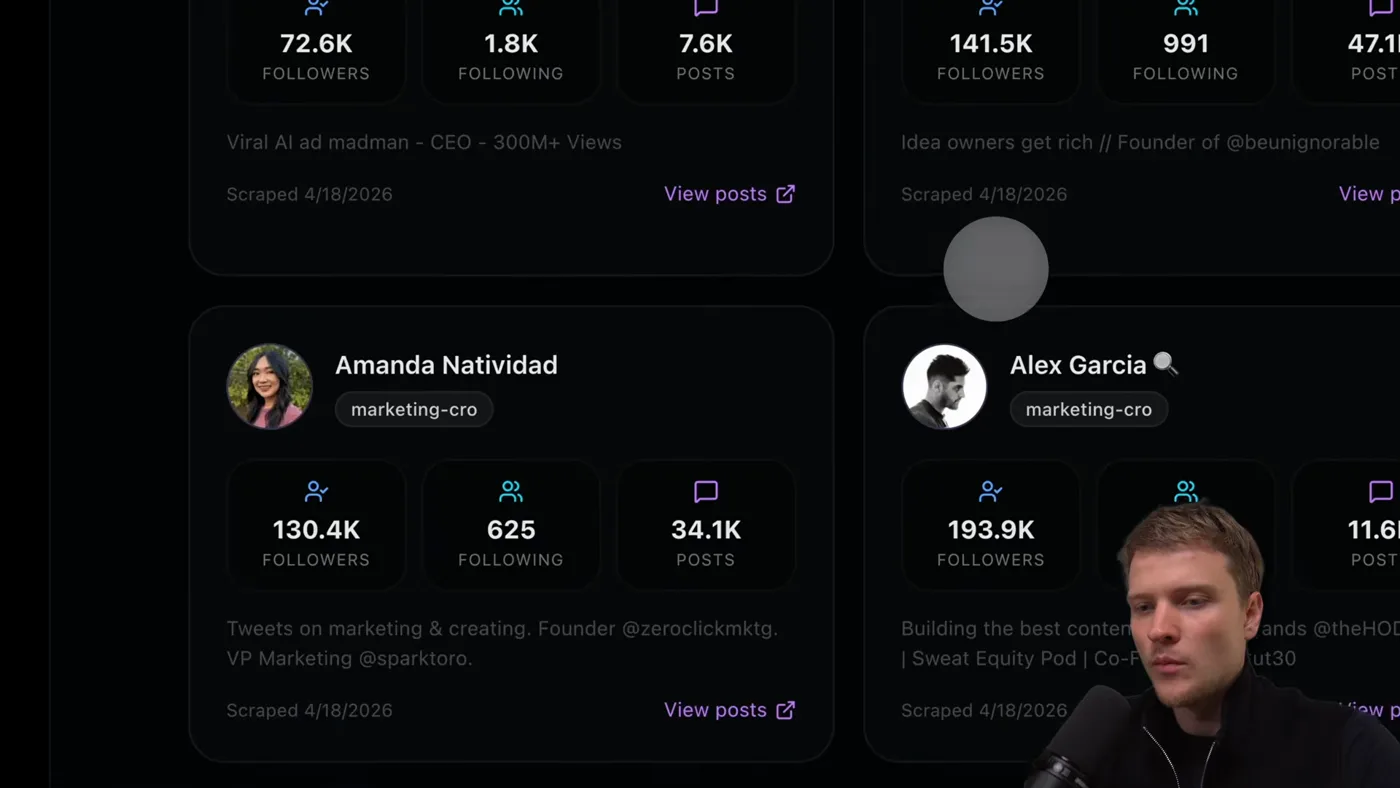
The accounts it studies. On X the numbers are public, which is exactly why this works better here.

I built this around a specific person: an agency owner selling conversion rate optimisation to e-commerce brands, who gets most of his clients from his personal profile.

That is the case where X is unreasonably good. In certain B2B niches the buyers are on the platform, they are reachable without ad spend, and a personal account outperforms a company one. So the system is not built to make a feed that performs. It is built to make a feed that sells, which is why the generation config carries your offer and your buyer, not just your topics.

The transfer, which is the whole trick
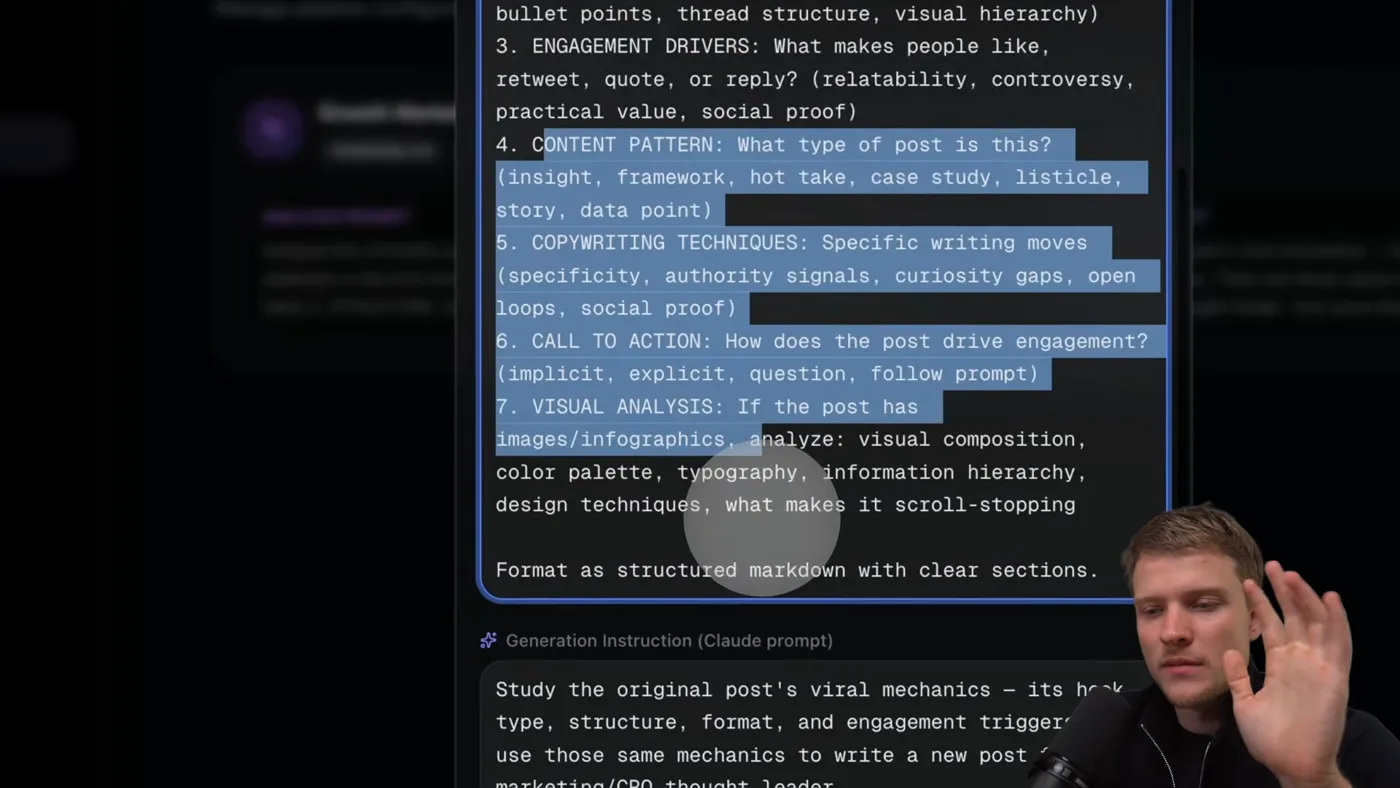
The prompt is the product. It asks for the mechanism behind a post, never the post itself.

The honest question about any system like this is whether it is just copying. Here is the distinction, with a real example from a run.

The original
“entrepreneurship is about self-belief first and business skills second”
What transferred
The structure: X is about A first and B second, where A is the unexpected half
What did not
The subject, the claim, the evidence, the author's credibility
The result
“conversion rate optimization is about user psychology first and design tweaks second”

The second post is a real claim about a real field, made by someone who can defend it. It borrowed a sentence shape. That is the same thing every songwriter does with a chorus, and it is not the same thing as copying a song.

The line, and how to tell you crossed it

If you read your generated post and it is really about the same subject as the original, the generation config is too thin. It should be impossible to guess which competitor post yours came from without the left-hand column.

Building it

  1. 1Pick creators by niche, not by size

    I track nine, all in and around one niche. Paste a username, tag the category, and it scrapes the profile and records followers and post count.

    Pick people selling something like what you sell to people like your buyers. A huge general account teaches you what works for huge general accounts, which is not a lesson you can use.

  2. 2Write the analysis config

    Three things from every post:

    • The hook. On X this is the first line, because the first line is all anyone sees before deciding.
    • The structure. One-liner, list, story, contrarian claim then proof.
    • The engagement driver. What specifically made this post beat that account's own average.

    That last one is the important one, and it needs the account's baseline to mean anything.

  3. 3Write the generation config, which is the actual work

    This is the config that decides whether the system produces content or plagiarism. It has to describe your brand, your buyer, your content pillars, and specifically that the structure transfers and the subject does not.

    A worked example, from a real run. The original post said: "entrepreneurship is about self-belief first and business skills second." the generated one said: "conversion rate optimization is about user psychology first and design tweaks second."

    Same skeleton, entirely different claim, and the second one is a claim its author can actually defend. That is the target.

  4. 4Run the pipeline on a tight window

    Top 3 of each creator's last 20 posts, past 30 days. About fifteen minutes to run.

    The recency filter matters on X because the platform is conversational. A post that worked during a news cycle worked because of the news cycle.

  5. 5Run it weekly

    This is the setting people skip. Once a week, on a schedule. The value is not the first run, it is never facing a blank page again, and never publishing filler because it was tuesday.

Three keys go in .env: Apify to scrape, an image model for the infographics, and your claude plan for the writing.

APIFY_API_TOKEN=...
KIE_AI_API_KEY=...
ANTHROPIC_API_KEY=...

The image key is the one people skip, and most of what this system produces is visual. Without it you get text and empty slots.

The image mix, and why some posts have none

Three kinds of post come out, and the ratio is deliberate:

  • Infographics, generated in your style, carrying the same idea as the text rather than decorating it.
  • Personal photos, from your own library, so the feed has a face in it.
  • Plain text, no image at all.

X is the one big platform where a text-only post competes fine. A feed where every single post is packaged reads as a brand account, and brand accounts are exactly what people scroll past. The mix is the point.

What it costs

Claude plan
Pro, $20 a month
Apify
$5 of free credit a month, which covers a weekly run
Infographics
Cents per image
Time per run
About 15 minutes
Cadence i would use
weekly

What it gets wrong

  • A thin generation config makes it a copier. The single biggest failure, and the one with a cost beyond bad content.
  • It cannot see the thread. A post that worked because of what it was replying to looks like a standalone banger and is not.
  • Contrarian claims need backing. The structure that performs on X is often a strong statement, and the generated version will make one you may not actually be able to defend. Read them.
  • Automated publishing too early. One config mistake becomes thirty bad posts under your name. Read everything for the first few weeks.
  • Tracking accounts that are too big. A post that worked because 400,000 people follow that person is not a pattern you can borrow.

The same architecture for short video is on Reels and TikTok; the multi-format version is on The content guide. New to Claude Code? Start here.

If you get stuck

The things that actually go wrong, taken from the questions people ask under the video.

There is no .env file in the folder I downloaded

Correct, and on purpose. .env is where your private keys live, so it is deliberately kept out of the repo. A public folder with someone else's API keys in it would be a gift to whoever found it.

You create it yourself, once. The projects now ship a .env.example to copy:

# macOS or Linux
cp .env.example .env

# Windows PowerShell
Copy-Item .env.example .env

Or just make it by hand in VS Code: click the new file icon in the left panel and name it exactly .env, dot and all. Then paste your keys in, one per line, no quotes and no spaces around the =.

Put it in the project root, the folder that has CLAUDE.md in it, not inside app.

If you cannot see the file after making it, some setups hide files that start with a dot. It is there.

The terminal says “command not found: claude”

Installing the Claude Code extension in VS Code does not give you the Claude terminal command. The extension keeps a private copy for its own chat panel. That catches almost everyone, and it is not a broken setup.

To get the command, install Claude Code itself:

# macOS or Linux
curl -fsSL https://claude.ai/install.sh | bash

# Windows PowerShell
irm https://claude.ai/install.ps1 | iex

Then close the terminal window completely and open a new one. Skipping that is the second most common reason it still says not found. Check it worked with Claude --version.

Still not found on a Mac? Your PATH is missing the folder, so run these two lines:

echo 'export PATH="$HOME/.local/bin:$PATH"' >> ~/.zshrc
source ~/.zshrc

Claude doctor prints a full health report if you are still stuck. And if you would rather never touch a terminal, the Claude Code desktop app does the same job with buttons.

One thing worth knowing before you install anything: Claude Code needs a paid Claude plan (Pro or higher) or an API account. The free claude.ai plan does not include it, so it can install perfectly and still refuse to sign you in.

I typed “cr” and nothing happened, or it says command not found

cr is not a Claude command. It is a shortcut for a longer one, and three things go wrong with it.

It is lowercase. Terminals are case sensitive, so CR is a different word and will never be found.

A shortcut typed straight into a terminal dies when you close that window. To keep it, put the two lines in ~/.zshrc on a Mac, then run source ~/.zshrc.

On Windows, alias does not define anything. In PowerShell alias means Get-Alias, which is why you get ItemNotFoundException. Use functions instead:

function cs { claude "/prime" }
function cr { claude --dangerously-skip-permissions "/prime" }

To keep those permanently on Windows, run notepad $PROFILE and paste them in.

You never need the shortcut at all. Just run the thing it stands for:

claude --dangerously-skip-permissions "/prime"

And read which error you get, because it tells you which piece is missing. command not found: cr means the shortcut is not saved. command not found: Claude after typing cr means the shortcut is fine and Claude Code itself is not installed.

The pipeline fails with “429” or a quota error from Gemini

A 429 means you hit a quota on your Google AI key: too many requests per minute, or the daily cap. It is not a bug in the project, and no, this does not require a paid Gemini plan. The claim going round that the paid tier has a $200 minimum is wrong: that number is a spend limit in Google's docs, not an entry price.

Free ways to get under the limit:

  • Analyse fewer items per run, lower the top-k and max videos
  • Wait and try again: the daily quota resets at midnight Pacific, not 24 hours after your run

Check your own limits at aistudio.google.com/rate-limit. Google stopped publishing the free numbers in its docs, so that dashboard is the only accurate source.

If you get a 404 saying the model does not exist, that is different: Google retires models. List what your key can reach and set GEMINI_MODEL in your .env to one of them:

curl "https://generativelanguage.googleapis.com/v1/models?key=YOUR_KEY"

One warning: Google's pricing page says free tier content is used to improve their products. Do not push client material through a free key.

It says “credit balance too low, add funds”

That message is about the Anthropic API, which is prepaid pay per token. It is not about your Claude subscription, and a Pro or Max subscription never funds an API key. They are two different products with two different bills.

If you meant to use the API, add credit at platform.claude.com under Billing, and switch on auto reload so a long run cannot die halfway.

If you did not mean to use an API key, you probably have one sitting in your environment, and a key set there overrides your subscription login. Check with echo $ANTHROPIC_API_KEY on a Mac. If it prints something, remove it and run /login inside Claude Code to sign in with your subscription instead.

What does this actually cost to run?

Claude Code comes with a Claude subscription: Pro at $20/month, or Max from $100/month for five or twenty times the usage. Usage is included, there is no per-run charge. The free plan does not include Claude Code at all.

Inside Claude Code, /status tells you whether you are on a subscription or an API key, and /usage shows how close you are to your plan limit.

Prices and free tiers move. These were checked in August 2026.

Do I also need to pay for the API keys?

Yes, and it is a separate bill. Mixing the two up is what causes most of the confusion.

The API keys the pipelines use are pay per token, prepaid, and completely separate. A Claude subscription does not fund an API key.

The free tiers genuinely cover trying this out: Apify's free plan includes $5 of usage a month, and a scrape of a few dozen profiles costs cents. Google AI Studio has a free tier for the analysis.

Prices and free tiers move. These were checked in August 2026.

Is scraping competitors going to get my account banned?

This reads public posts through a third party scraper. It never logs in as you, never posts, never follows and never messages, so your own account is not the thing making the requests. That is a different risk profile from automating your own logged-in account, and it is the reason it is built this way.

Worth being straight about the rest: Meta's and TikTok's terms restrict automated collection of data from their platforms, whoever is doing it. The practical exposure here sits with the scraping service, not with your profile.

Questions people ask

Is this just copying other people's tweets
No, and the difference is the part worth understanding. What transfers is the structure: the hook shape, the rhythm, the way a claim is set up and paid off. What does not transfer is the subject. In one real run, a post about entrepreneurship and self-belief became a post about conversion rate optimization and user psychology. Same skeleton, entirely different claim, and one its author can defend.
How many competitors should I track on x
Around nine works well. Enough that you see a structure repeat across accounts, which is what tells you it is a pattern rather than one person's habit, and few enough that a weekly run stays cheap. All of them should be in or next to your niche and selling to people like your buyers.
Does every post need an image
No, and that is one of the useful things about X. It is the one major platform where a text-only post competes fine, so a mixed feed of infographics, personal photos and plain text reads more human than one where every post is packaged. I aim for a mix rather than a rule.
What API keys do I need for the x system
Three: Apify to scrape the posts, an image generation key for the infographics, and your Claude plan for the writing. The image one is easy to overlook and most of what the system produces is visual, so without it you get text and empty slots where the graphics should be.
Can it post to x automatically
It can be connected to a publishing tool through an API, and I would not do it on day one. Run it for a few weeks reading everything before it goes out. Automated publishing turns a small config mistake into thirty bad posts under your name, and on X that is the account, not just a bad week.
Why is x good for B2B specifically
Because in some niches the buyers are there and reachable, and a personal account can generate inbound without any ad spend. The example I built this around is an agency owner getting clients from a personal profile. That is why the generation config carries the offer and the buyer: the goal is a feed that sells, not a feed that performs.
How often should I run the pipeline
Weekly. Trends on X move fast enough that a monthly run is stale, and daily is more content than one person can post well. Weekly refills the pipeline just faster than you can empty it, which is the point at which you stop publishing filler.

Building this for X? Boldane does the same job on LinkedIn, done for you: you talk for one hour a week, and a real team turns what you said into five posts your market trusts.