Oleg MelnikovYouTube
free resource

Claude Code for TikTok videos that hold attention

Study the tiktoks earning real reach in your niche, understand what makes them work, and turn it into thumb-stopping video concepts and scripts with AI.

Jump to the setup steps or read the whole thing in writing.

11K views12:54 longPublished Apr 2026

Setup guide

Download and install VS Code from code.visualstudio.com. It auto-detects your OS.

Run the installer and verify VS Code launches properly.

The idea, and why TikTok rewards it more than any other platform

It works out why the videos winning in your niche held attention, then writes new concepts that use the same mechanism on your topic, while the format is still working.

The system tracks creators in your niche, pulls their best-performing recent videos, works out why each one worked, and writes new concepts that use the same mechanism for your own subject. In the run I show, the videos it found ranged from over 20 million views down to niche ones in the low hundreds of thousands.

This matters more on TikTok than anywhere else, because TikTok is the platform where a format spreads fastest and dies soonest. The same hook shape carries a dozen creators in a fortnight and then stops working. Being three weeks late is the difference between riding it and looking like you copied.

What is being copied, exactly

Not the topic. The mechanism: the hook shape, the way tension is held, where the payoff sits. That is the transferable part and it is not anyone's property. If the output reads like a rewrite of somebody's video, your generation config is too thin.

The four tabs
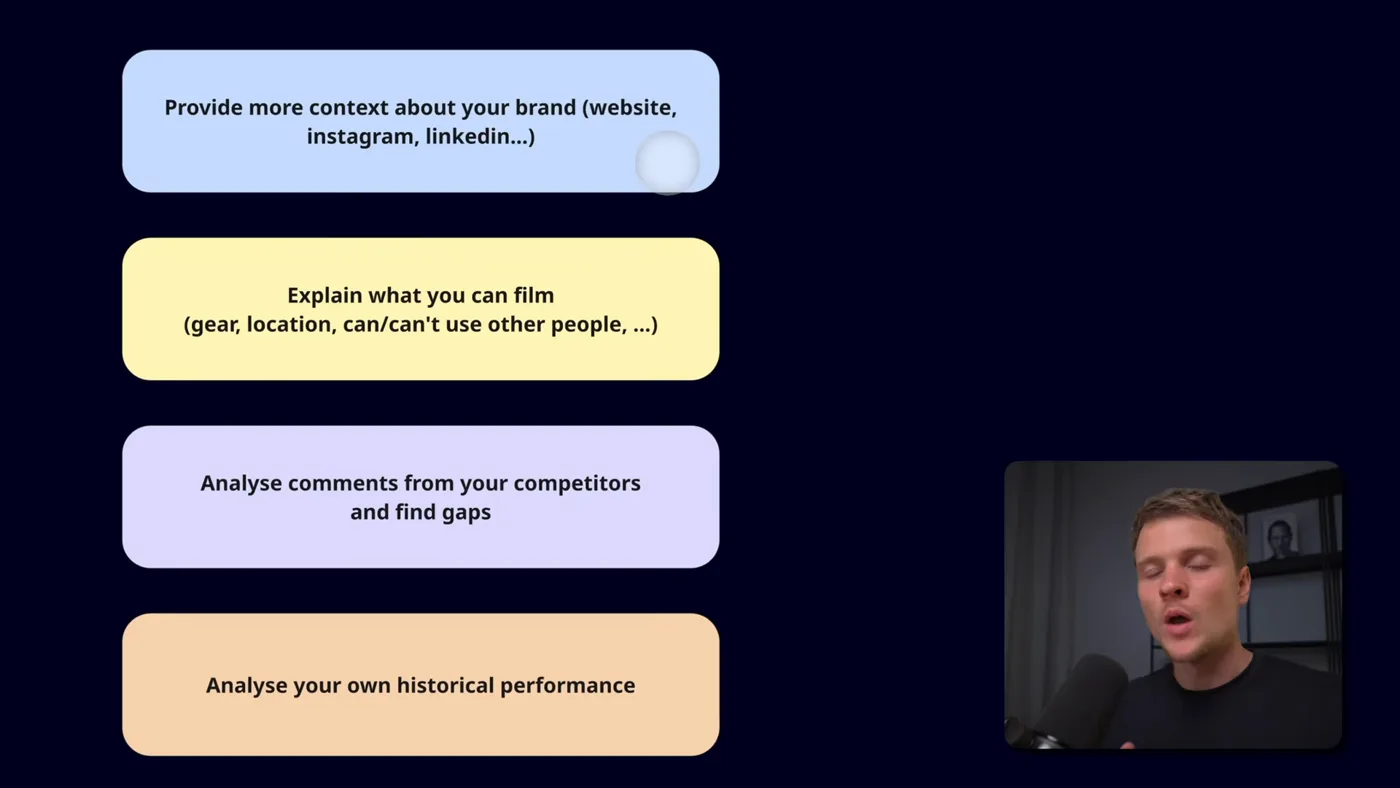
The four things that lift the output most, in the order they are worth doing.
Creators
The competitors you track. Add by username, tagged into a category.
Configs
Who you are and how to analyse. This is the actual product.
Run pipeline
How many videos, over what window, for which config.
Results
Every video, its analysis, and your concepts beside it.

The creators tab records followers and popular-video counts as it scrapes, which is how you tell a creator worth learning from (strong views relative to their size) from one coasting on an old audience.

The pipeline settings that matter
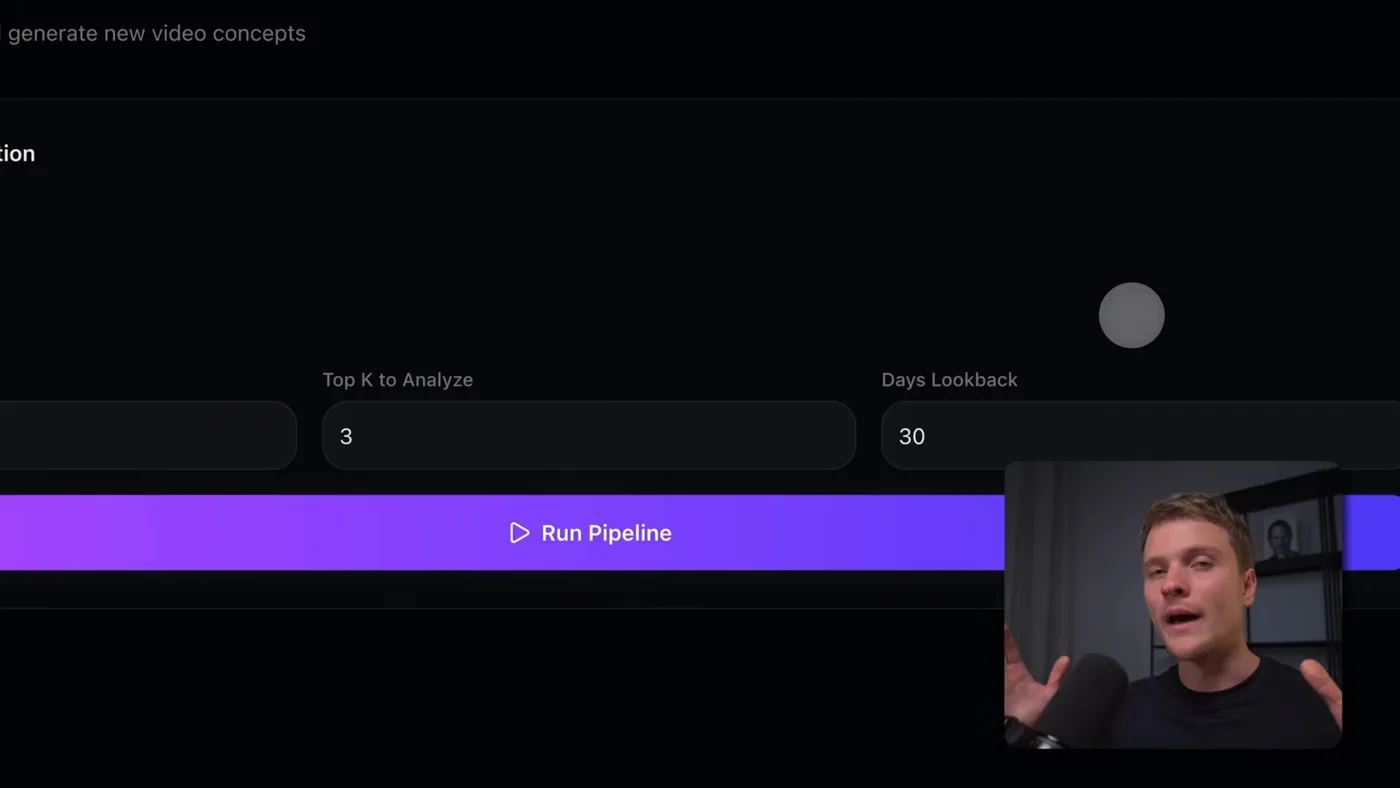
Two numbers decide the cost and the quality of a run: how many videos per creator, and how far back to look.
  1. 1Build a creator list in one niche

    Paste a TikTok username, tag it with a category, press add. It scrapes the profile and records the follower count and how many popular videos they have, so you can see at a glance whether the account is worth studying.

    The categories matter more than they look. If you run content for several brands or clients, each gets its own category and its own config, and one project serves all of them.

  2. 2Write the analysis config

    Three things to extract from every video, and on TikTok specifically I would not cut any of them:

    • The hook. The first two seconds. On TikTok this is not most of the battle, it is the whole battle.
    • The retention mechanism. What stops the thumb at second five.
    • The call to action, if there is one, and where it sits. This is the one people leave out, and it is the difference between views and sales.
  3. 3Write the generation config

    Who you are, what your content is about, and what you want back. Be specific about the output format: a script alone, or a script plus b-roll direction, or shot notes.

    I ask for three different scripts per idea, for reasons in their own section below.

  4. 4Set the window before you set the count

    My settings: Last 20 videos per creator, take the top 3, only from the past 30 days.

    The 30 days is the setting that matters. TikTok trends have a shelf life measured in weeks. A video that went viral six months ago is a history lesson, and copying a depleted trend is worse than having no idea at all, because it looks late.

  5. 5Run it and wait about fifteen minutes

    About fifteen minutes for a full run. You get every video with its analysis, a link back to the original, and your own concepts beside it.

Writing the two configs
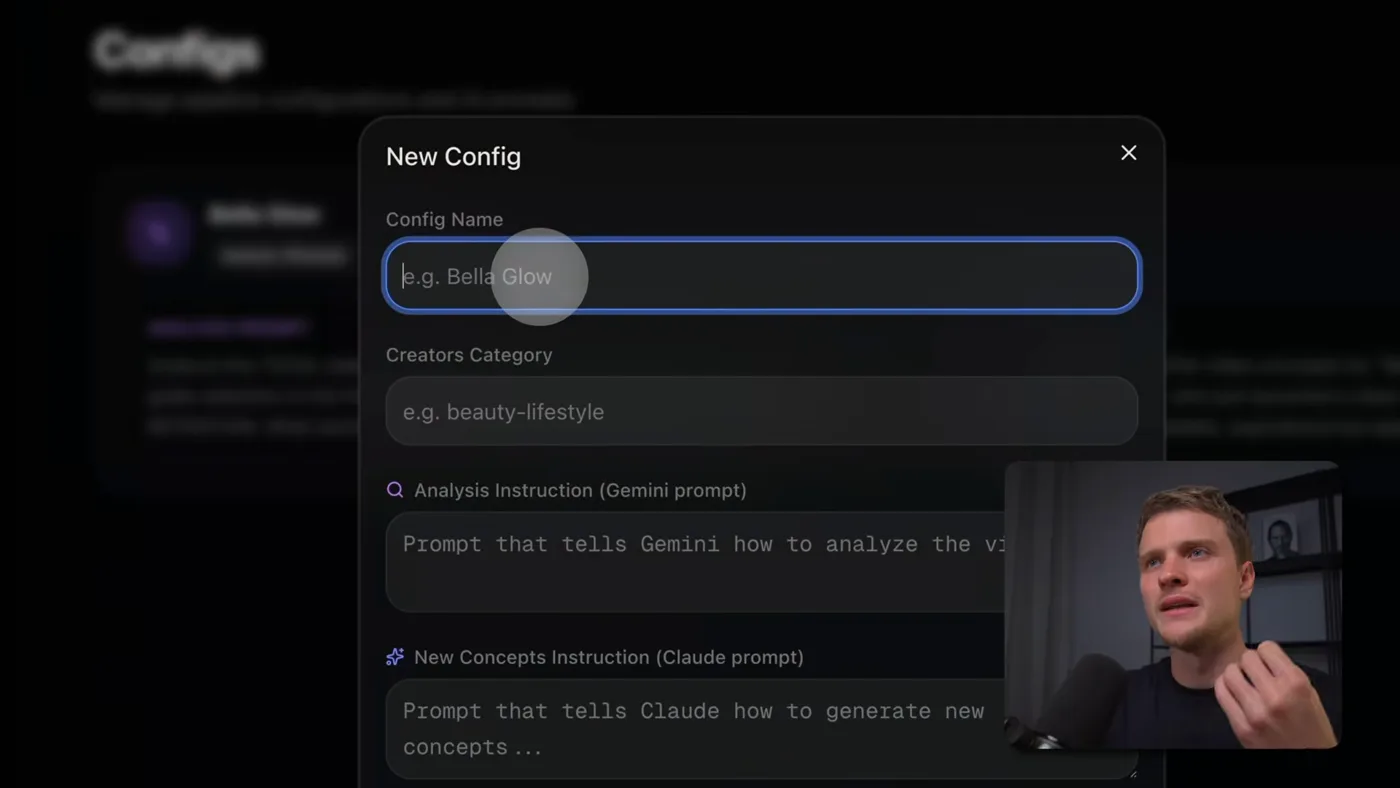
Both prompts live in one config, so a different client is a different config rather than a different project.

Everything else is plumbing. These decide the output. Here is roughly what mine says:

ANALYSIS
for each video, tell me:
- the hook, word for word, and why it stops the scroll
- the retention mechanism: what holds attention past second five
- the call to action, if any, and where it sits
- the structure, beat by beat

GENERATION
we are BRAND. we make content about PILLARS for AUDIENCE.
take the mechanism from the video, not the topic,
and write three different scripts applying it to our subject.
include b-roll direction for each shot.

The phrase "take the mechanism, not the topic" is doing a lot of work there, and it is the line I would not cut.

Why three scripts per idea

I ask for three concepts per source video rather than one, and the reason is not that more is better.

You cannot judge one script in isolation. Read a single option and you either film it or you do not, and either way you are guessing. Read three framings of the same idea and the best one is usually obvious in seconds, because you are comparing rather than evaluating.

The marginal cost of the extra two is a few cents. The marginal value is that you stop filming things you were lukewarm about because they were the only thing on the table.

What it costs

Claude plan
Pro, $20 a month, required
Apify, for scraping TikTok
$5 of free credit a month
Gemini, for watching the videos
Free tier in Google AI studio, with a daily cap
Time per run
About 15 minutes
What runs out first
The Gemini free tier, because video analysis is the expensive call

Where it goes wrong

  • A stale window. The most damaging setting. Widen it past 30 days and you get depleted trends presented confidently.
  • A thin generation config. Then it summarises instead of translating, and the output is somebody else's video with your words on it.
  • Creators who are too big. A 20 million view video from an account with 30 million followers may have worked because of the account. Mix in mid-size creators where the idea had to carry it.
  • The Gemini cap. A large run hits it. Fewer creators per run, not a bigger plan.
  • Reading it as a to-do list. It is a shortlist. Three or four usable ideas out of a run is a good run.

The same pipeline for Instagram is on The reels guide, the version that writes and packages posts is on The content guide, and the account-level strategy layer is on The growth guide. Never used claude code? Start here.

If you get stuck

The things that actually go wrong, taken from the questions people ask under the video.

There is no .env file in the folder I downloaded

Correct, and on purpose. .env is where your private keys live, so it is deliberately kept out of the repo. A public folder with someone else's API keys in it would be a gift to whoever found it.

You create it yourself, once. The projects now ship a .env.example to copy:

# macOS or Linux
cp .env.example .env

# Windows PowerShell
Copy-Item .env.example .env

Or just make it by hand in VS Code: click the new file icon in the left panel and name it exactly .env, dot and all. Then paste your keys in, one per line, no quotes and no spaces around the =.

Put it in the project root, the folder that has CLAUDE.md in it, not inside app.

If you cannot see the file after making it, some setups hide files that start with a dot. It is there.

The terminal says “command not found: claude”

Installing the Claude Code extension in VS Code does not give you the Claude terminal command. The extension keeps a private copy for its own chat panel. That catches almost everyone, and it is not a broken setup.

To get the command, install Claude Code itself:

# macOS or Linux
curl -fsSL https://claude.ai/install.sh | bash

# Windows PowerShell
irm https://claude.ai/install.ps1 | iex

Then close the terminal window completely and open a new one. Skipping that is the second most common reason it still says not found. Check it worked with Claude --version.

Still not found on a Mac? Your PATH is missing the folder, so run these two lines:

echo 'export PATH="$HOME/.local/bin:$PATH"' >> ~/.zshrc
source ~/.zshrc

Claude doctor prints a full health report if you are still stuck. And if you would rather never touch a terminal, the Claude Code desktop app does the same job with buttons.

One thing worth knowing before you install anything: Claude Code needs a paid Claude plan (Pro or higher) or an API account. The free claude.ai plan does not include it, so it can install perfectly and still refuse to sign you in.

I typed “cr” and nothing happened, or it says command not found

cr is not a Claude command. It is a shortcut for a longer one, and three things go wrong with it.

It is lowercase. Terminals are case sensitive, so CR is a different word and will never be found.

A shortcut typed straight into a terminal dies when you close that window. To keep it, put the two lines in ~/.zshrc on a Mac, then run source ~/.zshrc.

On Windows, alias does not define anything. In PowerShell alias means Get-Alias, which is why you get ItemNotFoundException. Use functions instead:

function cs { claude "/prime" }
function cr { claude --dangerously-skip-permissions "/prime" }

To keep those permanently on Windows, run notepad $PROFILE and paste them in.

You never need the shortcut at all. Just run the thing it stands for:

claude --dangerously-skip-permissions "/prime"

And read which error you get, because it tells you which piece is missing. command not found: cr means the shortcut is not saved. command not found: Claude after typing cr means the shortcut is fine and Claude Code itself is not installed.

The pipeline fails with “429” or a quota error from Gemini

A 429 means you hit a quota on your Google AI key: too many requests per minute, or the daily cap. It is not a bug in the project, and no, this does not require a paid Gemini plan. The claim going round that the paid tier has a $200 minimum is wrong: that number is a spend limit in Google's docs, not an entry price.

Free ways to get under the limit:

  • Analyse fewer items per run, lower the top-k and max videos
  • Wait and try again: the daily quota resets at midnight Pacific, not 24 hours after your run

Check your own limits at aistudio.google.com/rate-limit. Google stopped publishing the free numbers in its docs, so that dashboard is the only accurate source.

If you get a 404 saying the model does not exist, that is different: Google retires models. List what your key can reach and set GEMINI_MODEL in your .env to one of them:

curl "https://generativelanguage.googleapis.com/v1/models?key=YOUR_KEY"

One warning: Google's pricing page says free tier content is used to improve their products. Do not push client material through a free key.

It says “credit balance too low, add funds”

That message is about the Anthropic API, which is prepaid pay per token. It is not about your Claude subscription, and a Pro or Max subscription never funds an API key. They are two different products with two different bills.

If you meant to use the API, add credit at platform.claude.com under Billing, and switch on auto reload so a long run cannot die halfway.

If you did not mean to use an API key, you probably have one sitting in your environment, and a key set there overrides your subscription login. Check with echo $ANTHROPIC_API_KEY on a Mac. If it prints something, remove it and run /login inside Claude Code to sign in with your subscription instead.

What does this actually cost to run?

Claude Code comes with a Claude subscription: Pro at $20/month, or Max from $100/month for five or twenty times the usage. Usage is included, there is no per-run charge. The free plan does not include Claude Code at all.

Inside Claude Code, /status tells you whether you are on a subscription or an API key, and /usage shows how close you are to your plan limit.

Prices and free tiers move. These were checked in August 2026.

Do I also need to pay for the API keys?

Yes, and it is a separate bill. Mixing the two up is what causes most of the confusion.

The API keys the pipelines use are pay per token, prepaid, and completely separate. A Claude subscription does not fund an API key.

The free tiers genuinely cover trying this out: Apify's free plan includes $5 of usage a month, and a scrape of a few dozen profiles costs cents. Google AI Studio has a free tier for the analysis.

Prices and free tiers move. These were checked in August 2026.

Is scraping competitors going to get my account banned?

This reads public posts through a third party scraper. It never logs in as you, never posts, never follows and never messages, so your own account is not the thing making the requests. That is a different risk profile from automating your own logged-in account, and it is the reason it is built this way.

Worth being straight about the rest: Meta's and TikTok's terms restrict automated collection of data from their platforms, whoever is doing it. The practical exposure here sits with the scraping service, not with your profile.

Questions people ask

How is this different from just watching TikTok for an hour
Scale and honesty. You can watch twenty videos and remember three things, and those three will be the ones that confirmed what you already believed. This reads every video, extracts the hook, the retention mechanism and the call to action for each, and shows you the pattern across creators, including the ones you would not have noticed.
What time window should I analyse on TikTok
Thirty days, and shorter if your niche moves fast. TikTok trends have a shelf life of weeks. A video that went viral six months ago tells you about a trend that is already depleted, and copying it lands worse than having no idea at all, because it reads as late.
Can I run this for multiple brands or clients
Yes, and it is what the categories are for. Each client gets a creator category and a config, and one project serves all of them. Running an agency, that is the difference between a personal tool and something you can actually bill against.
Why three scripts per concept instead of one
Because you cannot tell which framing works from reading it, and the marginal cost of two more is nothing. Three gives you a choice, and choosing is much easier than judging one option in isolation. It also stops you filming something you are lukewarm about because it was the only thing on offer.
Is this the same system as the Instagram reels one
Same architecture, different scraper. Scrape, analyse, generate, and only the scraping step knows which platform it is on. The Instagram version came first and the TikTok one exists because I asked Claude Code to point it somewhere else. That portability is the real lesson of both projects.
How much does it cost to run
A Claude plan at $20 a month, plus scraping and video analysis. Apify gives $5 of credit free every month and Google AI Studio has a free Gemini tier. In normal use the marginal cost of a run is close to nothing, and the thing that runs out first is the Gemini free tier, because watching video is the expensive call.
Will copying competitor formats make my content derivative
It depends what you copy. Copying the topic makes you derivative. Copying the mechanism, an open loop, a reveal held to the end, a specific hook shape, does not, any more than using a chorus makes a song derivative. The generation config exists to force the translation into your own subject, and if it is producing near-copies, that config is too thin.