The idea: stop guessing what to post
It reads the reels already winning in your niche, works out why each one held attention, and writes you new scripts that use the same mechanism on your own topic.
- 8
- Creators tracked in a normal run
- ~70
- Scripts out of a single run
- Minutes
- Time that run takes
- $0
- Marginal cost on the free tiers
Most advice about going viral is somebody describing what worked for them once. This replaces that with the actual data: it reads the reels that are winning in your niche right now, works out why, and writes scripts that use the same mechanism for your own topic.
I built the first version in under thirty minutes with Claude Code, and the point of the video was never the app. It is that this shape of thing, scrape, analyse, generate, is now something you can build in an afternoon for whatever you happen to need.
The honest framing
This does not make you go viral. It removes the blank page and replaces guesswork with evidence, so the judgement you already have is pointed at something real. That is a big edge and it is not the same as a guarantee.
What the system does, in order
- Tracks creators. You add Instagram accounts in your niche. It records followers, posting frequency and average views, so you can see who is worth studying.
- Scrapes their best recent reels. Top three from the last thirty days per creator, by default, through Apify.
- Watches each video. The actual video goes to Gemini, not the caption. It comes back with the hook, the retention mechanism, the reward and the script structure.
- Writes concepts for you. Claude takes each pattern and your own context and writes about three new concepts, with full scripts, in your niche.
Eight creators, three videos each, three concepts each: roughly 70 scripts from one run that takes minutes and costs close to nothing.
What it costs to run
- Claude plan
- Pro, $20 a month. Required, the free plan will not sign you in.
- Apify, for scraping
- $5 of credit free every month, which covers normal use
- Google Gemini, for watching the videos
- Free tier in Google AI studio, with a daily request cap
- Anthropic API, for the scripts
- Optional. The project can use your Claude plan instead.
- Realistic monthly bill
- $20, unless you run pipelines daily
The thing that runs out first is the Gemini free tier, because watching video is the expensive step.
How to pick the creators to study
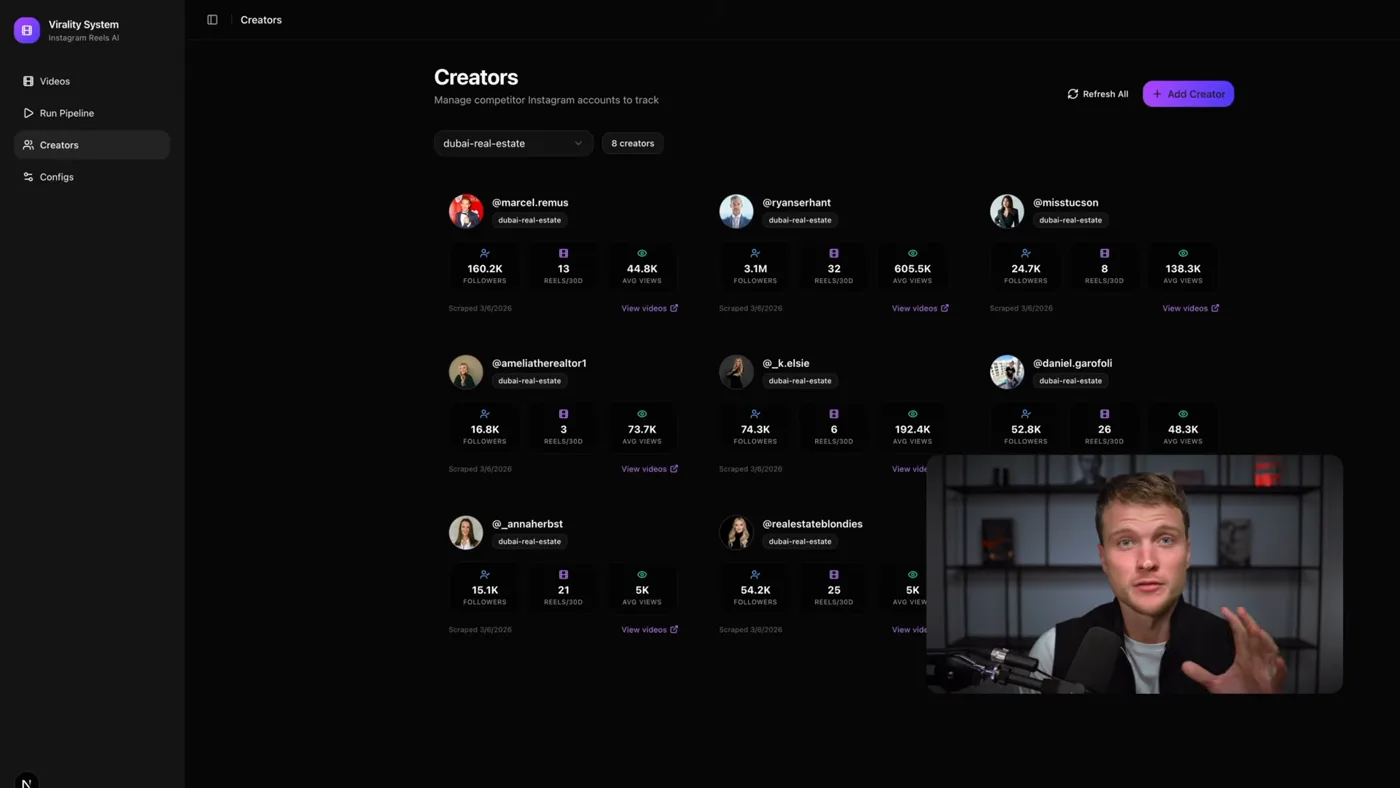
Pick accounts in your exact niche whose average views are far above their follower count, not the biggest accounts you can find.
This decides more than the prompts do, and it is the step people rush. What I look for, in order:
- Same niche, not same size. A real estate broker should study real estate accounts, not general marketing accounts with better numbers.
- High average views relative to followers. This is the tell for a creator whose content works, rather than one coasting on an audience they built years ago.
- Posting often. More than a few reels a month means the recent-window filter has something to find.
- Five to ten of them. Fewer and you are copying one person. More and you are paying to rediscover the same patterns.
The two prompts that decide everything
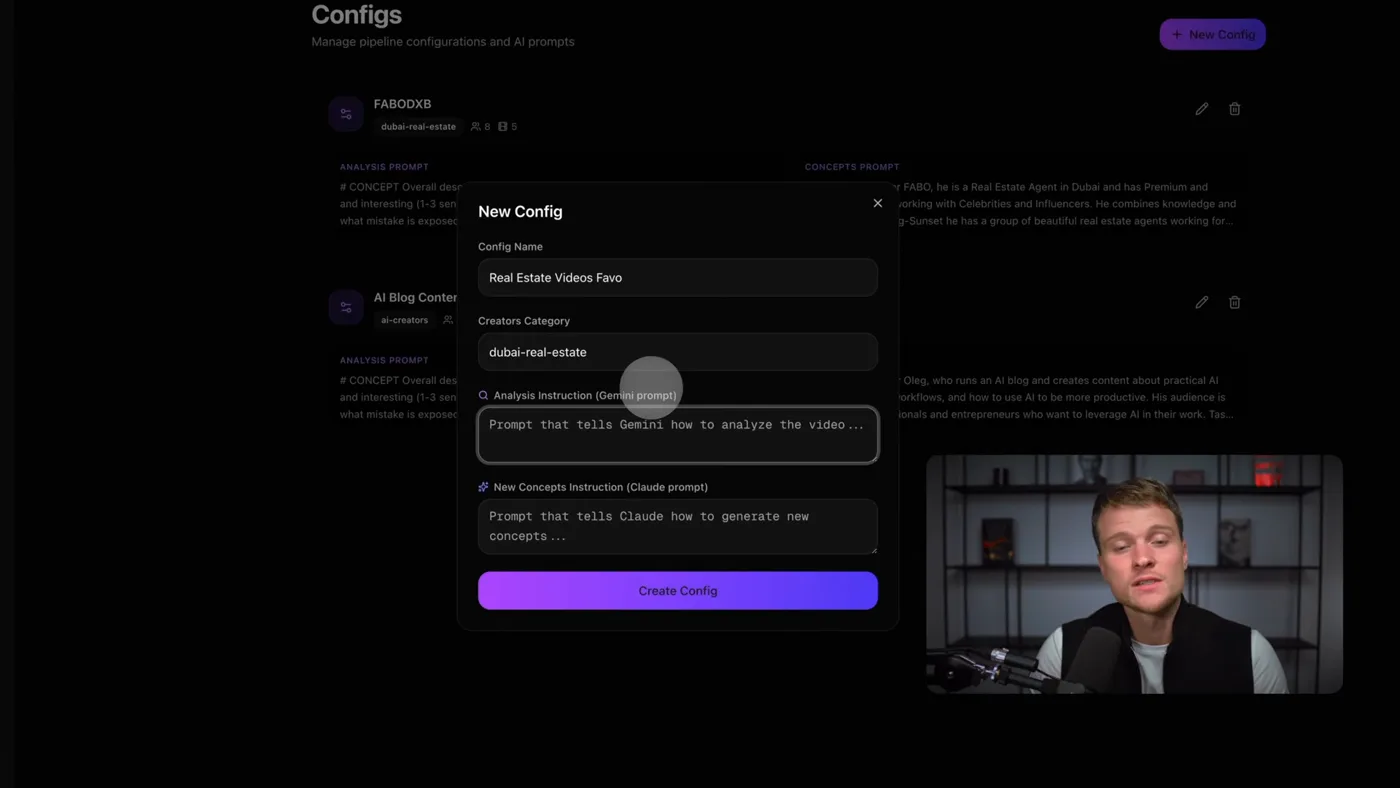
One prompt tells Gemini how to watch a reel, the other tells Claude how to turn what it saw into your scripts. Everything else in the project is plumbing.
1Add the creators you want to learn from
Paste an Instagram username, tag it with a category, press add. The app records the follower count, how many reels they post a month, and their average views.
Those three numbers are the point. They tell you whether an account is worth studying before you spend anything analysing it. An account averaging 40,000 views on daily posting is a teacher. An account with 400,000 followers and 3,000 views a reel is a cautionary tale.
2Write the analysis instruction
This is a config, written once per niche, and it decides the quality of everything downstream. Mine asks for five things from every video:
- The concept. What is this video actually about, in one line.
- The hook. The first three seconds, verbatim, and why they work.
- The retention mechanism. What stops you scrolling at second eight. An open loop, a visual change, a promise not yet paid.
- The reward. What the viewer leaves with. An insight, a laugh, a number they did not know.
- The script structure. How the thing is built, beat by beat.
Start smaller than that if you want. "analyse the hook and the script" is a legitimate first version, and you can ask Claude to expand it once you have seen what comes back.
3Write the concepts instruction
The second config is where your own context goes: who you are, what you sell, who you are talking to, what your videos should feel like.
Without it you get a summary of somebody else's video. With it you get a video you could film tomorrow. This is the difference between the system being interesting and the system being useful, and it is the step people skimp on.
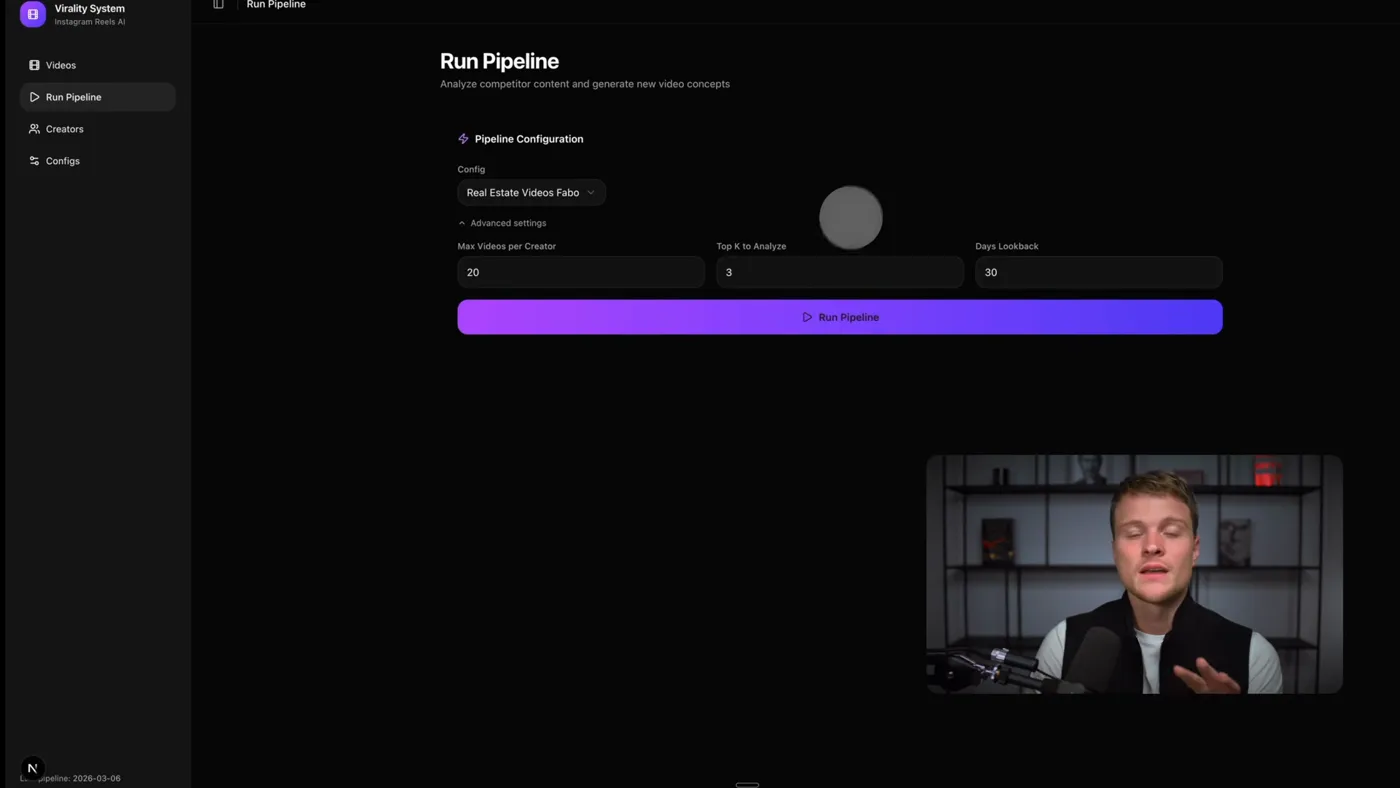
4Run the pipeline
Pick the config, then how many videos per creator and over what window. My default is the top 3 videos from the last 30 days per creator, so eight creators gives about 24 videos.
The recency window matters more than the count. A reel from eighteen months ago won a different feed than the one you are posting into tomorrow.
5Read the results, sorted by views
You get a table sorted from most-viewed down. Each row has the analysis and about three concepts written for you, so 24 videos is somewhere near 70 candidate ideas.
Most of them will not be good. That is fine and expected. The job the system does is not producing 70 good ideas, it is removing the blank page so your judgement has something to work on.
6Change the system by asking
This part surprises people. The app is a Claude Code project, so changing it is a sentence, not a code change. "change the theme from dark to light" works. So does "switch the scraping from Instagram to TikTok", which is how The TikTok version exists.
You do not need to read the code. You need to be able to say what you want.
The exact configs I use
These are the two configs from the video, not a cleaned-up version. The first one goes in the analysis field, the second in the concepts field. The second has the client-specific lines swapped for capitals, and those capitals are the only part you have to write.
Analysis instruction
# CONCEPT
Overall description of the concept of this video, and what makes it valuable and interesting (1-3 sentences).
-> Clarify the core tension: what belief is challenged, what mistake is exposed, or what outcome is promised.
-> One clear idea only. No subtopics.

# HOOK
Detailed description of the first 5 seconds of the video, what makes it scroll-stopping and attention-grabbing, why a viewer needs to stop to watch it (1-3 sentences).
-> Break it down into:
- VISUAL (what is seen in the first 1-2 seconds: movement, facial expression, contrast, pattern break)
- TEXT (short on-screen statement: danger, promise, or contradiction, max 6-8 words)
- AUDIO (first spoken words: confident, direct, no intro, no context)
-> The hook must create either fear of loss, strong curiosity, or identity relevance.

# RETENTION MECHANISMS
Detailed description of how the creator manages to retain viewers throughout the video (1-7 sentences).
-> Open loops ("In a second I'll show you why...", "Most people miss this part...")
-> Delayed payoff (main insight is intentionally held back)
-> Micro-escalations every 3-5 seconds (new angle, sharper wording, visual or tonal shift)
-> Pattern interrupts (pauses, emphasis, cut, zoom, gesture)
-> Clear forward momentum: the viewer feels the video is going somewhere.

# REWARD
Describe the ultimate value that the viewer gets by watching this video (1-3 sentences).
-> Be explicit: what does the viewer now understand, feel, or see differently?
-> Define whether the reward is Education (clarity), Entertainment (emotional release), or Inspiration (self-belief / action).
-> The reward should feel proportional to the time invested.

# SCRIPT
Describe the full script of the video (1-20 sentences, as many as needed).
-> Structure:
1. Immediate hook (no greeting)
2. Problem framing / tension escalation
3. Why this matters (stakes)
4. Main insight or shift in perspective (this comes AFTER retention is established)
5. Clean close (no rambling; optional CTA only if natural)
-> Include: scenes, actions, voiceover, exact wording if possible.
-> Keep sentences short. Spoken language only.

OVERALL RULE:
THE SHORTER THE ANALYSIS, THE BETTER.
If it can be said in fewer words, it should be.
Clarity > cleverness.
Retention > information.
The last four lines do more work than the rest. Without them the analysis comes back as an essay per video, and twenty-four essays is a thing you will not read.
New concepts instruction
Adapt this video for WHO YOU ARE: WHAT YOU DO, WHO YOU SERVE, WHAT MAKES YOU DIFFERENT IN ONE OR TWO SENTENCES.

Task:
Give us 3 NEW video concepts inspired by the ORIGINAL reference.
Do not copy the original.
Translate the core idea into the CONTEXT OF YOUR NICHE AND YOUR AUDIENCE.
MAINLY iterate and sharpen the HOOKS.

Focus:
- First 3 seconds must stop YOUR BUYER from scrolling
- Hooks should challenge a belief, fear, or misconception they have
- Calm authority > hype
- Emotional credibility > performance
- No shouting, no buzzwords, no exaggeration

The output should have this format:

# CONCEPT 1
Text description (1-3 sentences)

## HOOK
Detailed hook description (1-3 sentences)
Describe:
- What is seen in the first 2 seconds
- What is said in the first line
- Why this hook works specifically for YOUR AUDIENCE

## SCRIPT
Detailed script description (1-20 sentences, as many as needed)
Include:
- Scene flow
- Spoken text / voiceover
- Clear but understated payoff
- Subtle authority, not selling

# CONCEPT 2
...

# CONCEPT 3
...
"do not copy the original" and "translate the core idea" are the two lines that keep this from being plagiarism with extra steps. The mechanism transfers, the subject does not.
Reading the output without fooling yourself
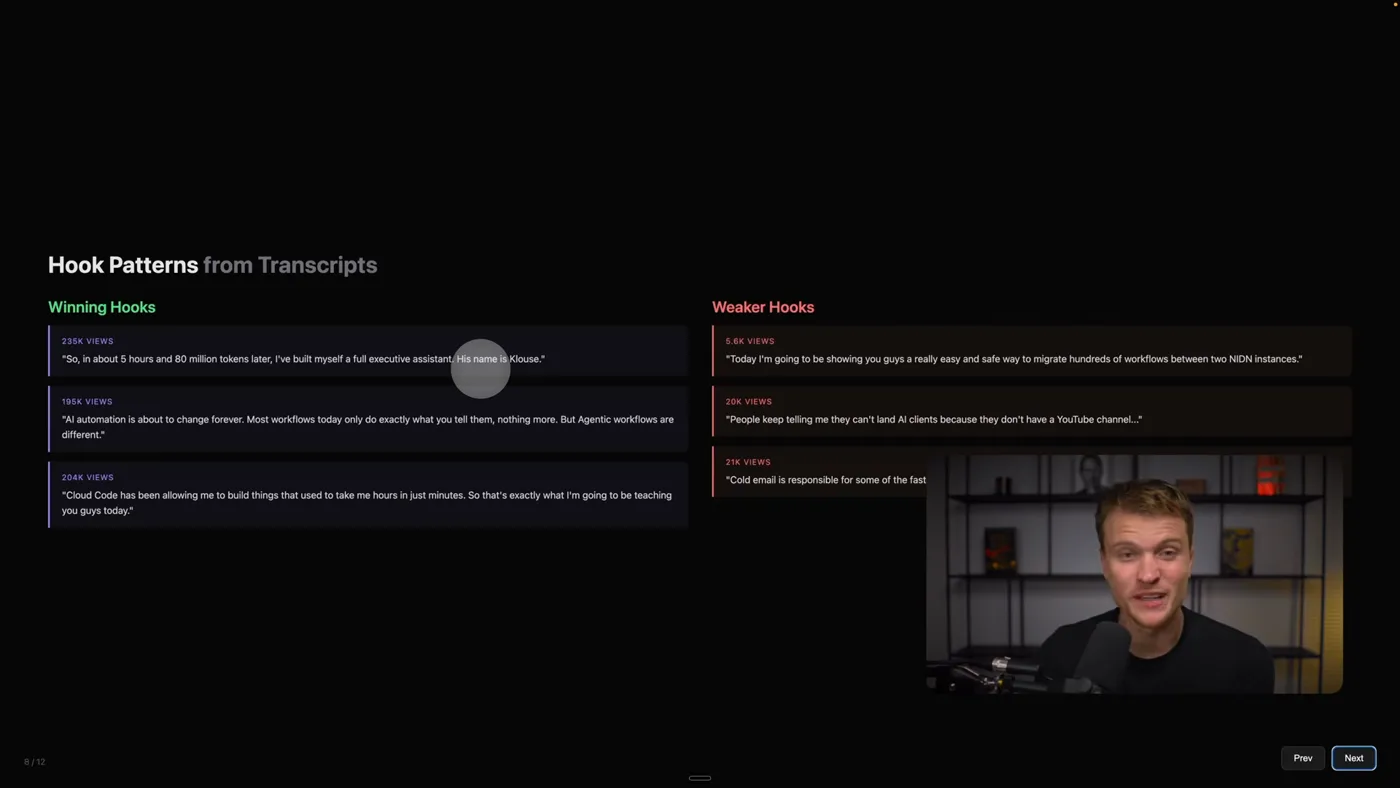
Read the hooks column first and the view counts last. The top row is the most viewed idea, which is not the same as the best one.
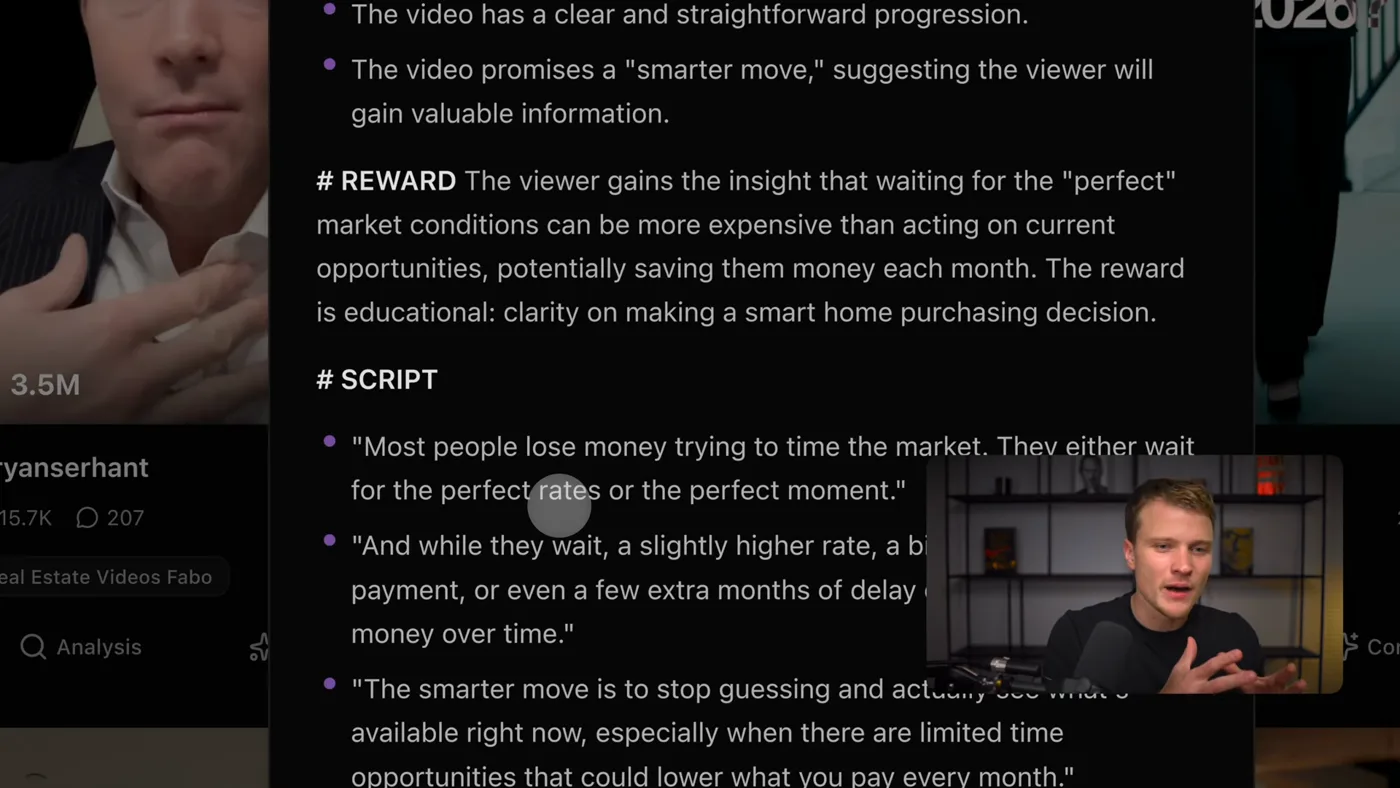
You get a table sorted by views, each row carrying the analysis and the concepts. The trap is treating the top row as the best idea. It is the most viewed idea, which is a different thing: a 3.5 million view reel may have worked because of who posted it.
What I actually do with a run:
- Read the hooks column top to bottom first, ignoring everything else. Patterns show up fast, and they are the transferable part.
- Mark the three or four concepts I could film this week without needing anything I do not have.
- Throw away anything that only works because of the original creator's audience or face.
- Rewrite the hook in my own words before filming. Always. The generated one is a starting shape, not a line to read.
What it gets wrong
- Most concepts are mediocre. Expect three or four usable ideas from seventy, and be pleased with that.
- It cannot see why something worked off-platform. A reel that went viral because of a news cycle looks like a mechanism, and is not.
- Hooks come back generic if your context is generic. The concepts instruction is the fix, and it is the config people write in one line.
- The Gemini free tier runs out. Video analysis is the expensive call, and a big run hits the daily cap. The fix is fewer creators per run, not a bigger plan.
- It will happily analyse a dead niche. If the accounts you picked are not winning, the system faithfully teaches you how to not win.
The same pipeline pointed at other platforms is on The TikTok guide; the version that writes and packages the posts rather than researching them is on The content guide; and if you want to edit the video too, reel studio is on The Instagram editor guide. New to Claude Code entirely? Start with The setup guide.