27 Genius Ways to Use Claude
27
Number 27: Chess cheat glasses
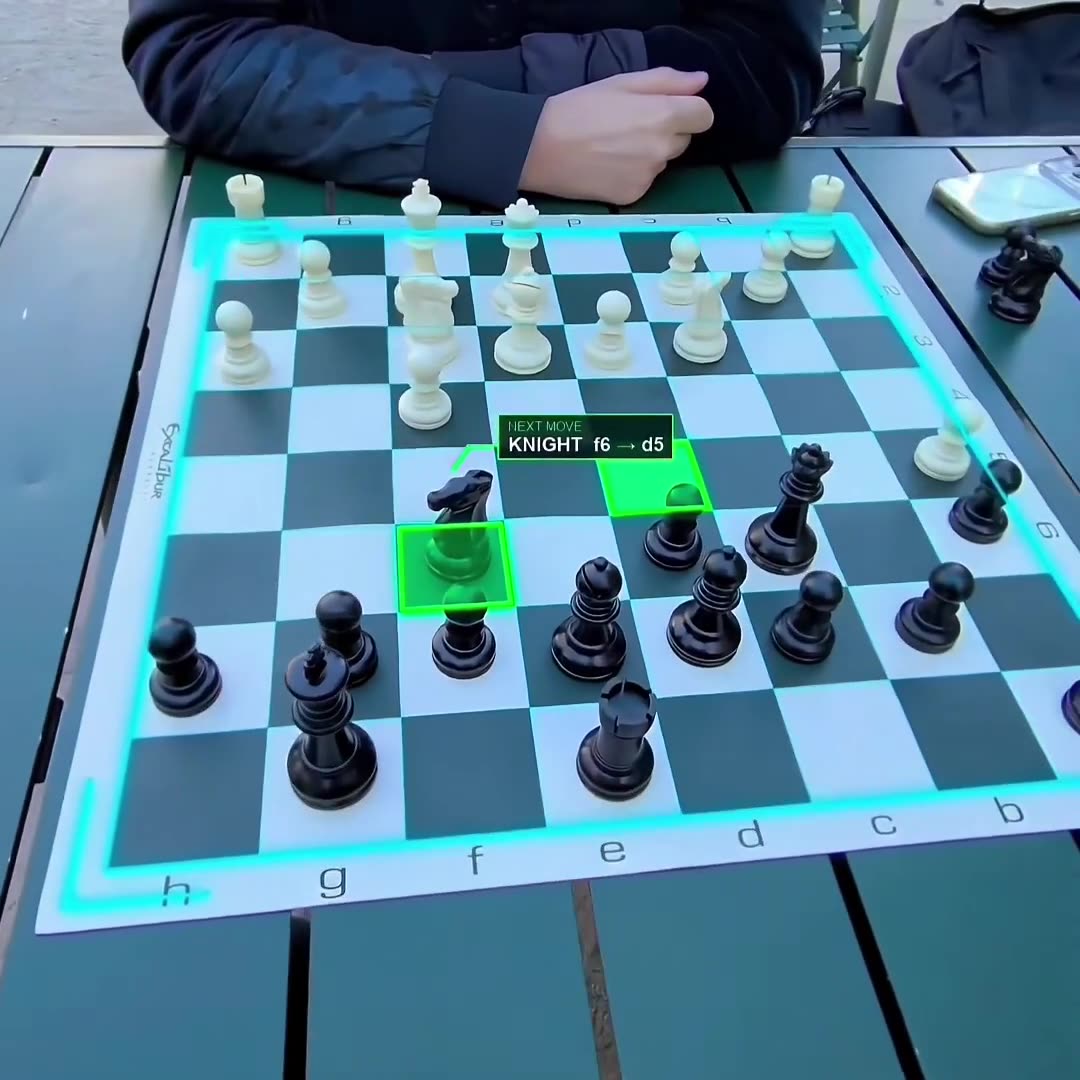
Someone turned Meta Ray-Ban glasses into a chess helper. The camera in the frame looks at the board. A chess engine rated above 3,000 finds the best move and tells you what to play. The best humans are around 2,800.
How the author did it
- 1Install it on a Mac with one command: npx chesshacker setup. It downloads the Stockfish chess engine.
- 2Put on the Meta Ray-Bans and video-call your own Mac on WhatsApp. Now the Mac sees what the glasses see.
- 3The Mac grabs frames from the call window: about 1 per second while the opponent thinks, 1 every 3 seconds on your turn.
- 4A cheap check runs on every frame: is the board readable, is a hand over it, did a piece move? No change means no AI call.
- 5Only then Claude Opus 5.5 reads the board. A move is accepted only if it is legal.
- 6Stockfish thinks for half a second and picks the best reply.
- 7The Mac speaks the move into the call, for example "Rook a to d1". You hear it in your ear.
- 8A screen on the Mac shows whose turn it is, the suggested move, the move list and a log.
26
Number 26: Hack a 32-year-old Jeep
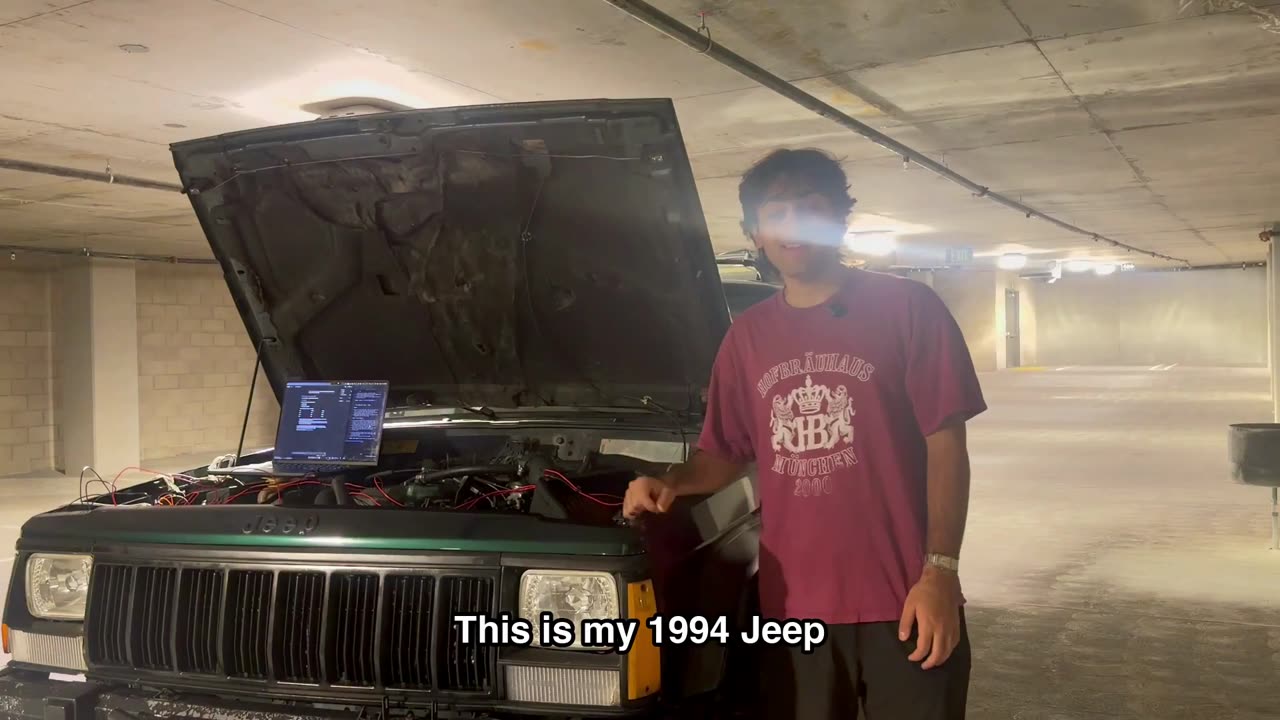
Claude reverse engineered a 1994 Jeep. The owner put a laptop on the engine and plugged it into the car. Claude worked out how the car's computer talks, then sent its own commands.
How to try it
- 1Park the car and turn the engine off
- 2Plug the laptop into the car
- 3Ask Claude to only listen first and write down what it sees
- 4Ask it to explain each message before it sends anything
25
Number 25: AirDrop from Mac to Windows
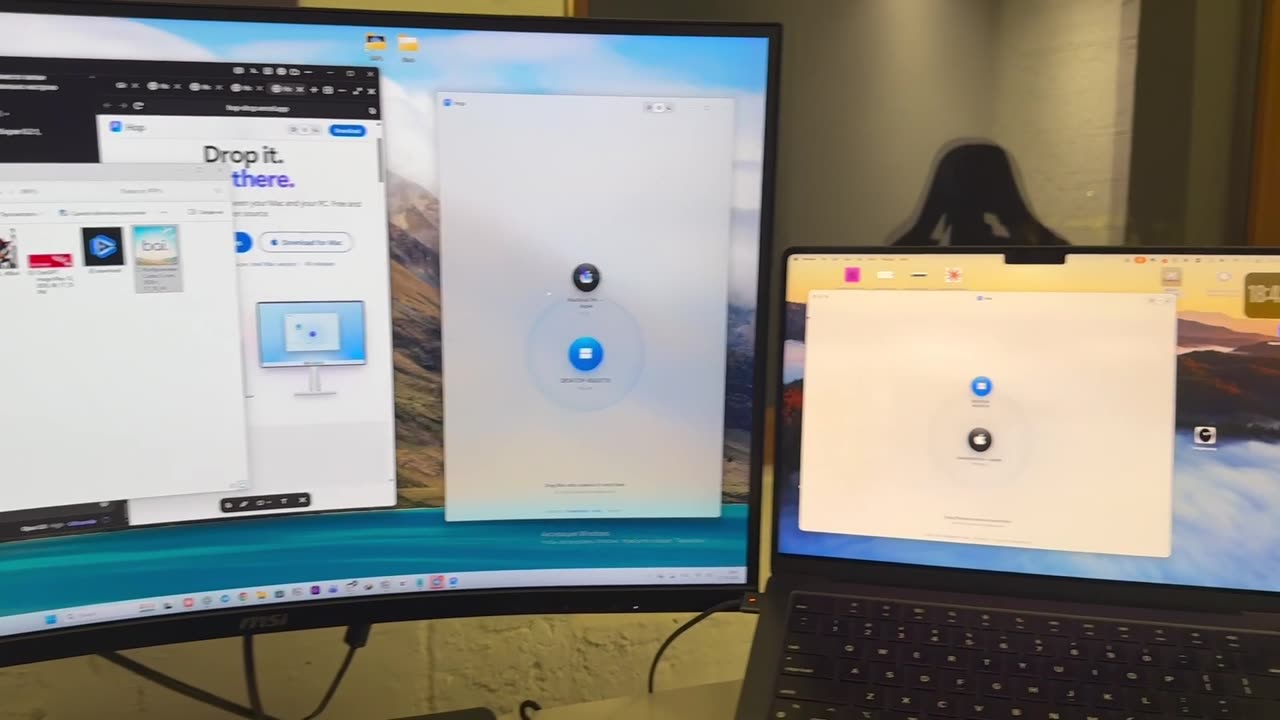
AirDrop only works between Apple devices. Claude reverse engineered how AirDrop talks. Now a file can be dragged from a Mac straight onto a Windows PC across the desk, with no cloud, no account and no cable.
How the author did it
- 1Open Claude Code on Opus 5.5 in an empty folder and paste the author's prompt. It is under the original post.
- 2Claude picks the stack: one Electron app that runs on macOS and Windows.
- 3Finding each other: every 1.5 seconds each computer says "I'm here" on your local network. The other one shows up on a radar.
- 4Sending: files go straight between the two machines. The other side gets Accept or Decline, with "always accept" for your own computers.
- 5Before any design, Claude wrote a test: two fake devices find each other and send a folder and a 3 MB file, byte for byte.
- 6Design was split across parallel agents: one made the glow effect, one the icon, one the download site.
- 7Separate reviewer agents checked every piece. One caught a bug that would have shown a black screen on the Mac.
- 8GitHub Actions builds the Mac and Windows installers on every release. The whole build took one afternoon.
24
Number 24: Lost Maya city
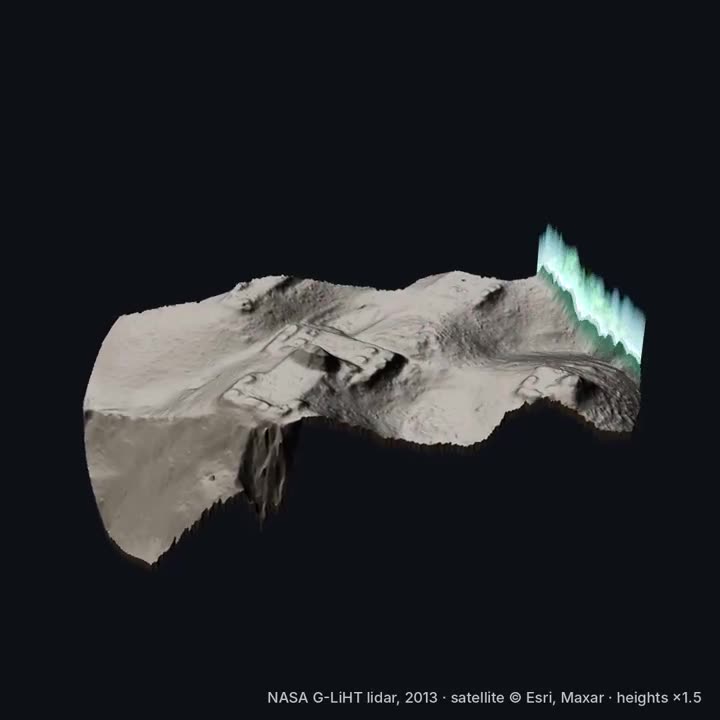
A few AI agents found what looks like an unmapped Maya site in the Mexican jungle. It took 72 hours. They used NASA's free laser scans, shot from a plane. The laser goes through the leaves and shows the shape of the ground. Mexico's national archaeology institute wrote back three days later.
How to try it
- 1Pick one small area to look at
- 2Ask Claude to find and download the free scan data for it
- 3Ask it to mark straight walls and platforms
- 4Compare the marks with sites that are already known
- 5Send anything new to real archaeologists
23
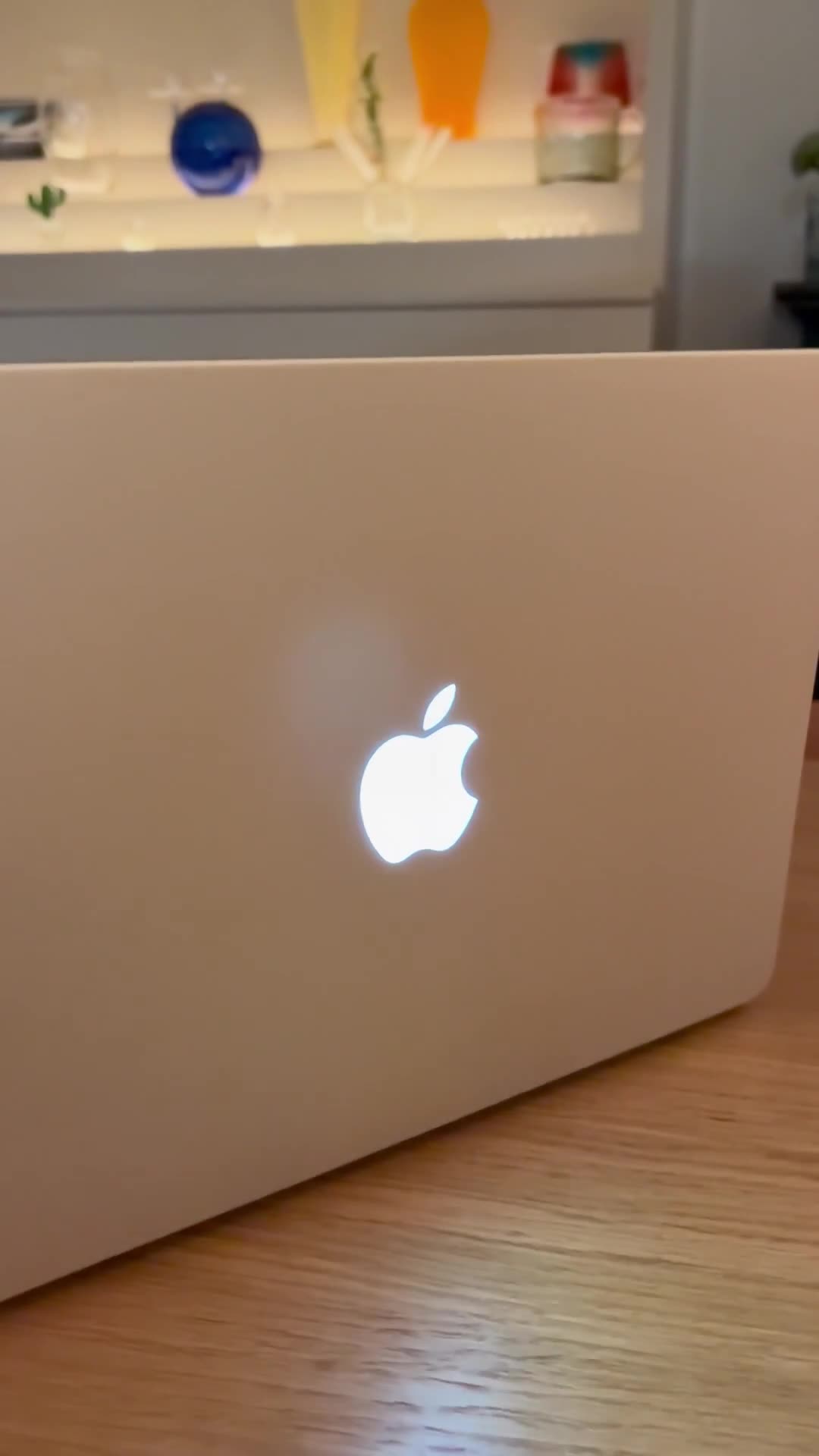
Number 23: MacBook logo that blinks
The new MacBook Pro has the glowing logo on the lid again. Someone made it dance to the music that is playing. It also blinks when Claude is waiting for an answer, so the laptop tells you from across the room.
How to try it
- 1Look at the author's app first
- 2Ask Claude if your Mac lets apps control the logo light
- 3Make the light blink once as a test
- 4Hook the blink to the moment Claude needs you
22
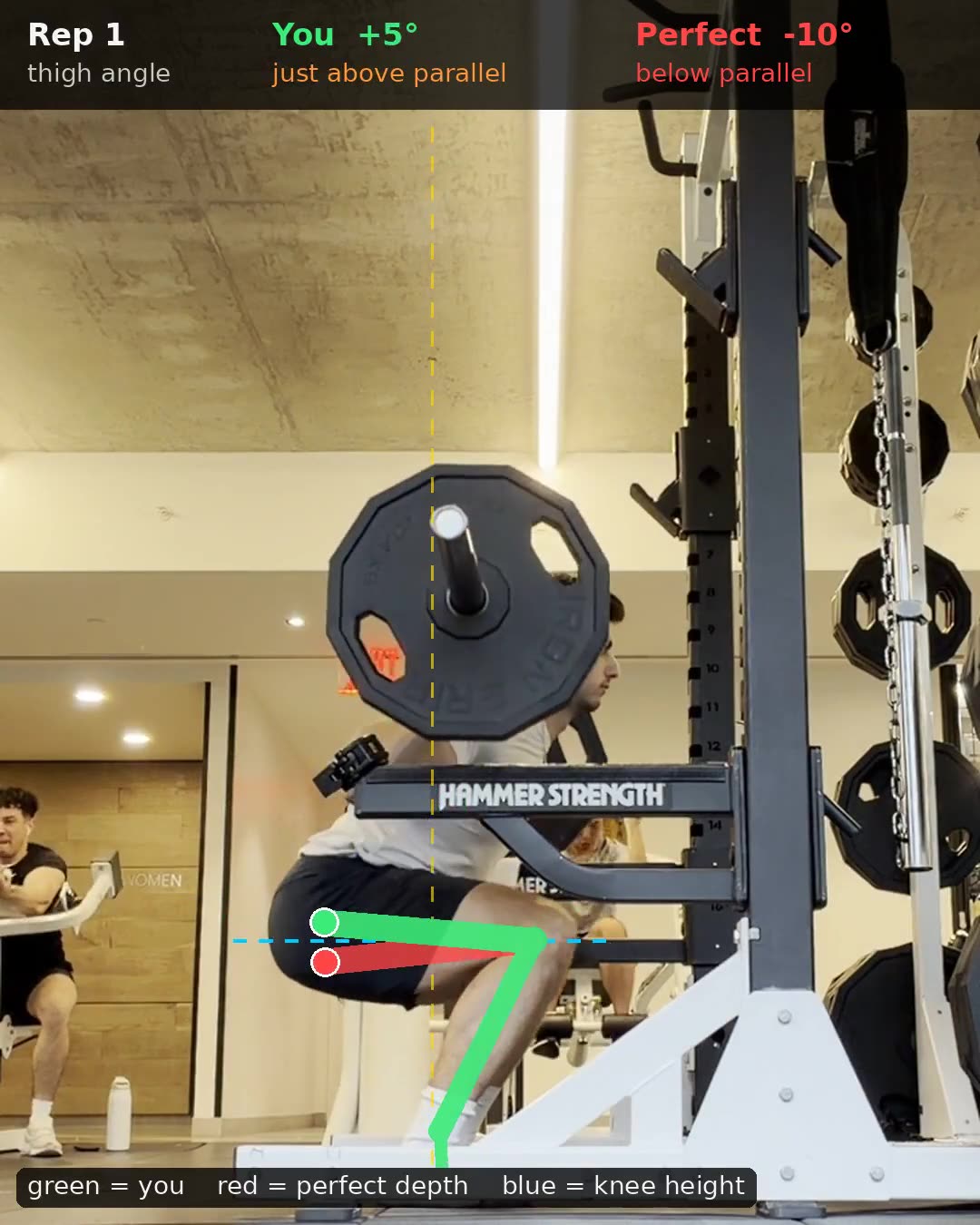
Number 22: Squat form coach
Someone sent Claude a gym video with one question. They got their own video back with joint angles drawn on every rep: lines over the hip and knee, and a label on reps that went deep enough. The same day somebody did it with a golf swing.
How to try it
- 1Film a few reps from the side
- 2Give the video to Claude
- 3Paste the prompt
- 4Watch the video it sends back
21
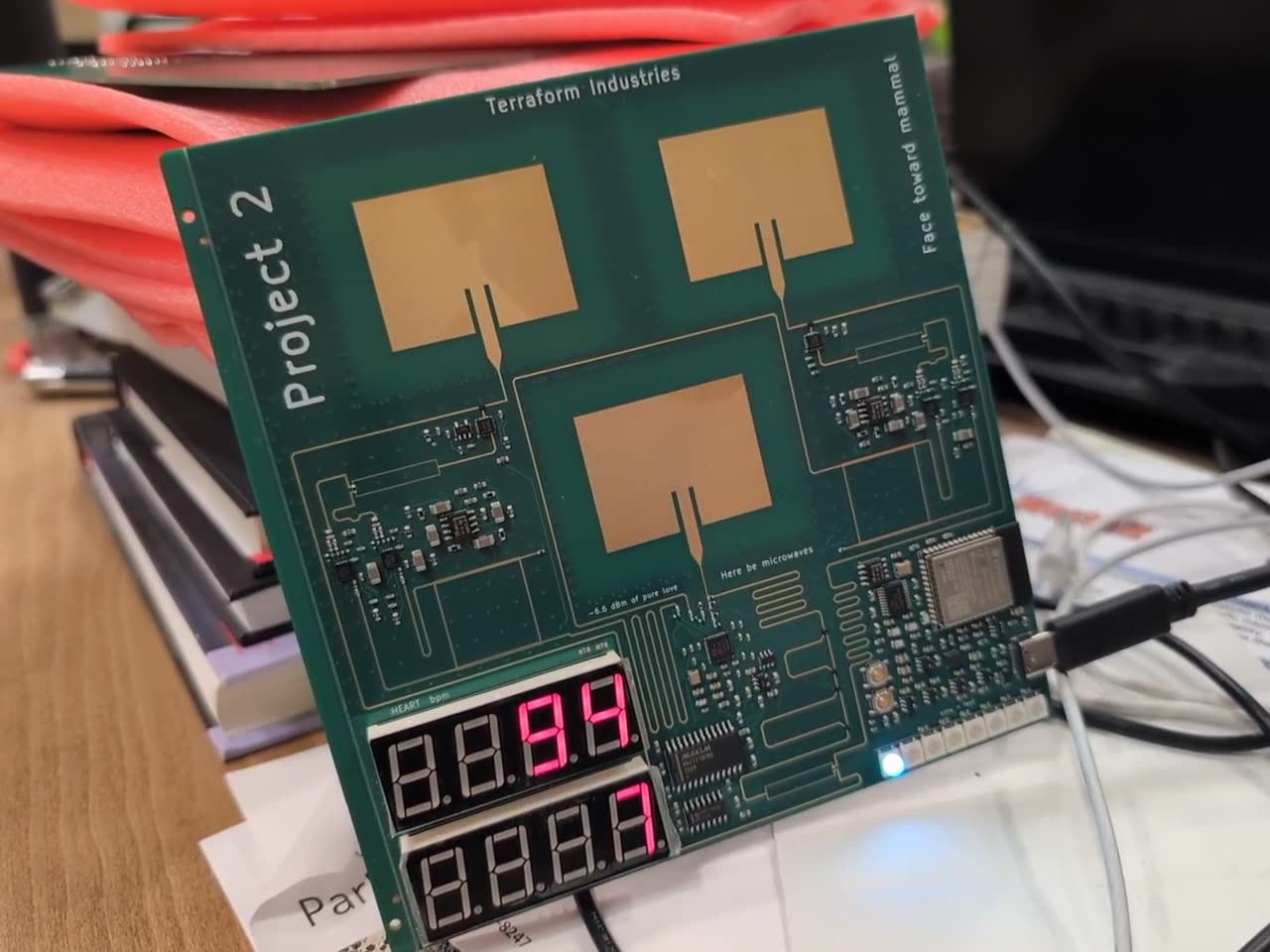
Number 21: Radar that reads your heart
Claude coded a personal radar. It is a small green circuit board with a few antennas. It tracks where you are in the room, your heart rate and your breathing. Radio waves bounce off your chest, so there is no camera and nothing on the body.
How to try it
- 1Plug the board into your computer
- 2Tell Claude the exact name of the board
- 3Ask it to read raw data first
- 4Ask for position, then breathing, then heart rate
20
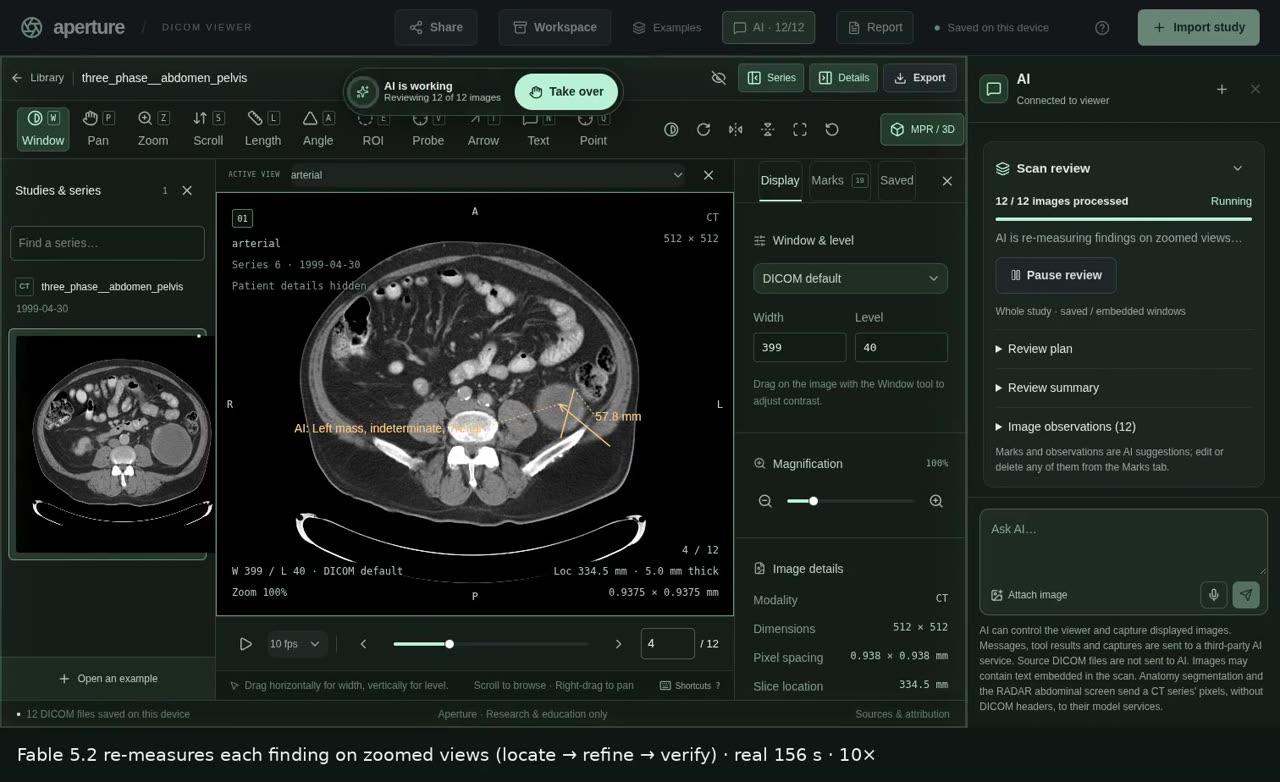
Number 20: Kidney cancer on a CT scan
A team that builds AI for medical scans ran a test. They gave Claude a 10 centimeter kidney cancer that looks exactly like a simple cyst. Their older model said simple cyst, with high confidence. Claude looked at the same images and said it was most likely kidney cancer. It was right.
How to try it
- 1See your doctor first
- 2Give Claude your report or images
- 3Ask it to explain them in simple words
- 4Take its questions back to your doctor
19
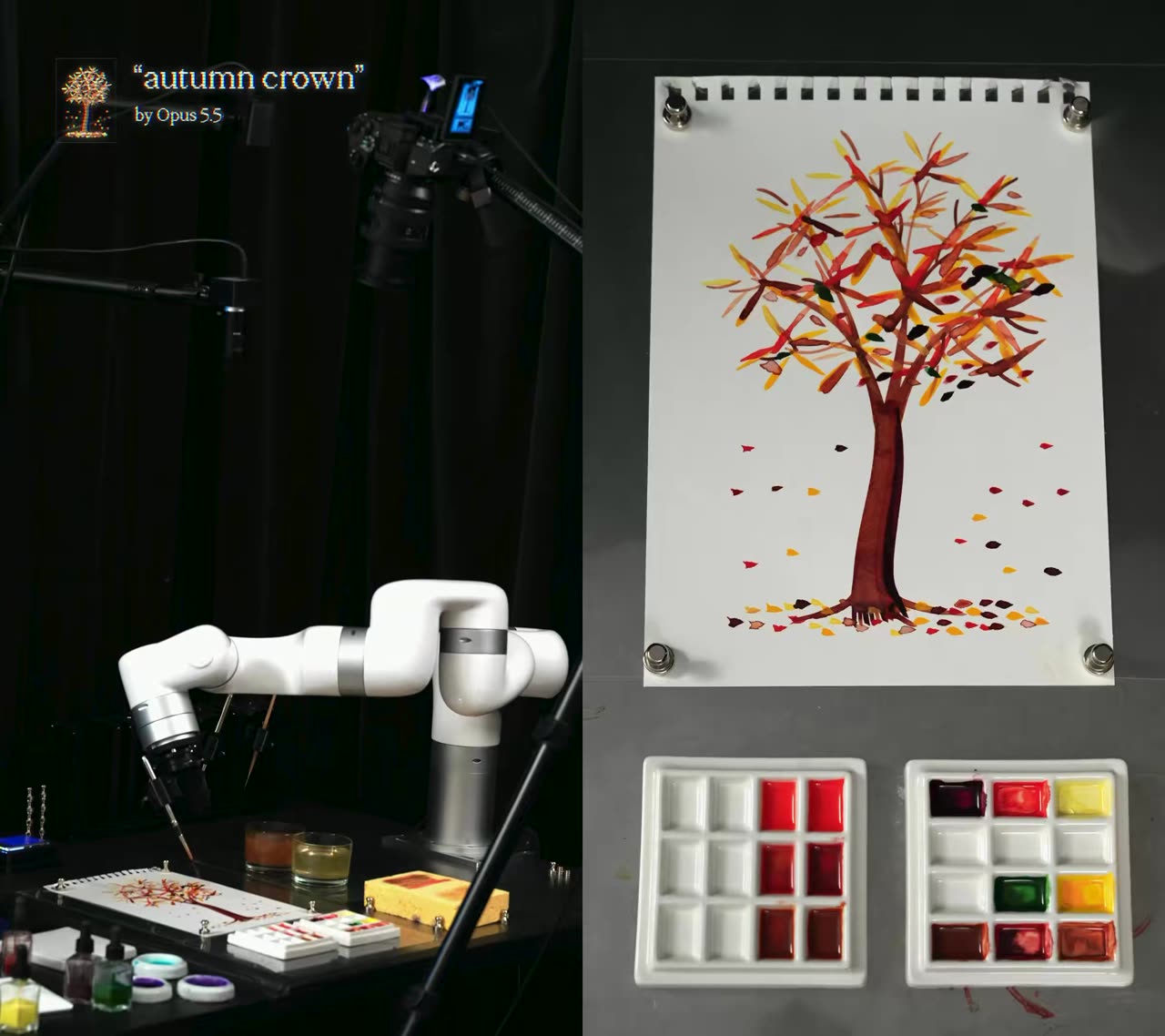
Number 19: Robot arm paints a tree
Someone asked Claude to paint an autumn tree with a robot arm and went to bed. Around 4 in the morning Claude saw it did not have the shades it wanted. So it mixed its own paint on a second palette, bit by bit. It took a photo to check each mix, then went back to the leaves.
How the author did it
- 1Give Claude a robot arm, paper, a brush and two palettes.
- 2Ask it to paint an autumn tree and go to bed.
- 3Around 4am it saw it was missing some shades. It mixed its own paint on the second palette, diluting step by step.
- 4It took a photo of each mix to measure the color, then went back to the leaves.
- 5Result: 303 brush marks in about 4.5 hours.
18
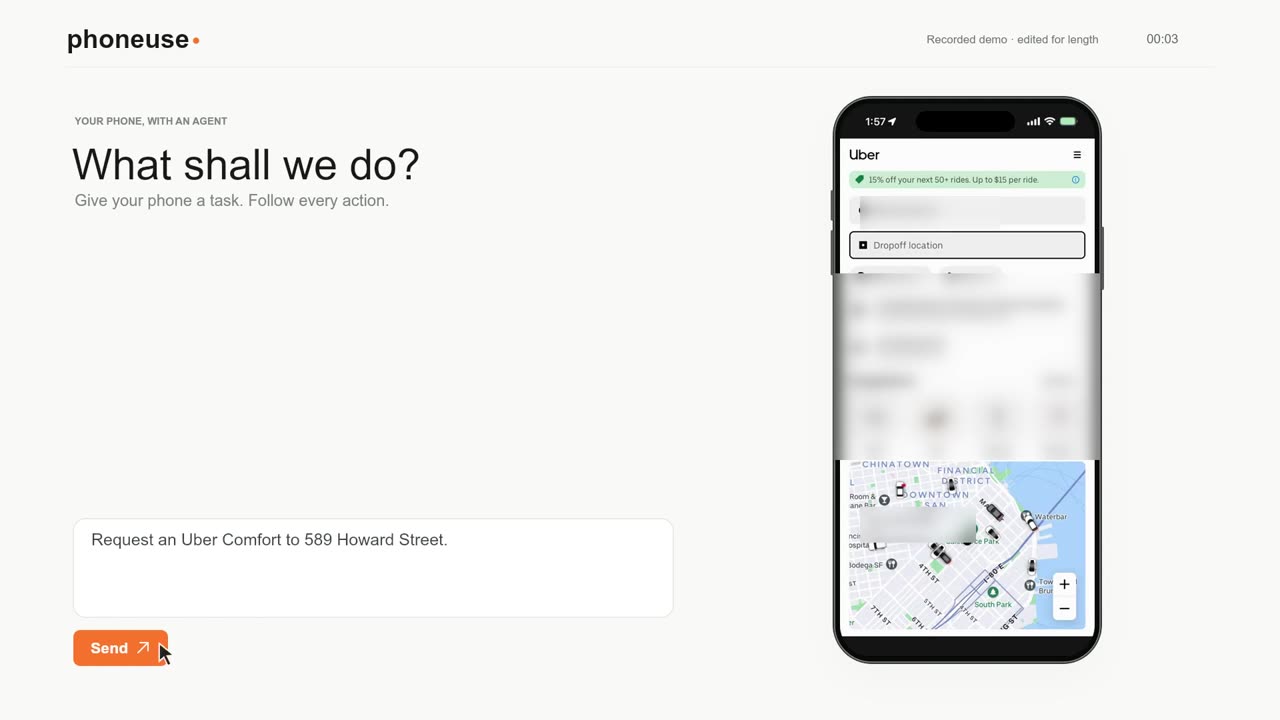
Number 18: Text Claude, your phone does it
PhoneUse is a free, open source tool. You text what you want and your own phone taps and swipes by itself. In the demo it requests an Uber, then orders on DoorDash and sends a message. It works with Claude and with Codex.
How to try it
- 1Open PhoneUse on GitHub
- 2Ask Claude to walk you through the setup
- 3Test it with a task that costs nothing
- 4Then try a real task and watch the phone

17
Number 17: 3D shooter from one prompt
Claude built a whole 3D shooter from one prompt. It is set in a container port. It worked for eight hours with zero feedback from a human. Everything is from scratch: the models, the textures, even the sounds. It cost about 550 dollars in Claude tokens.
How to try it
- 1Play the author's game to see the bar
- 2Write one clear prompt for your own game
- 3Start with a small level
- 4Let Claude work, then play what it made
16
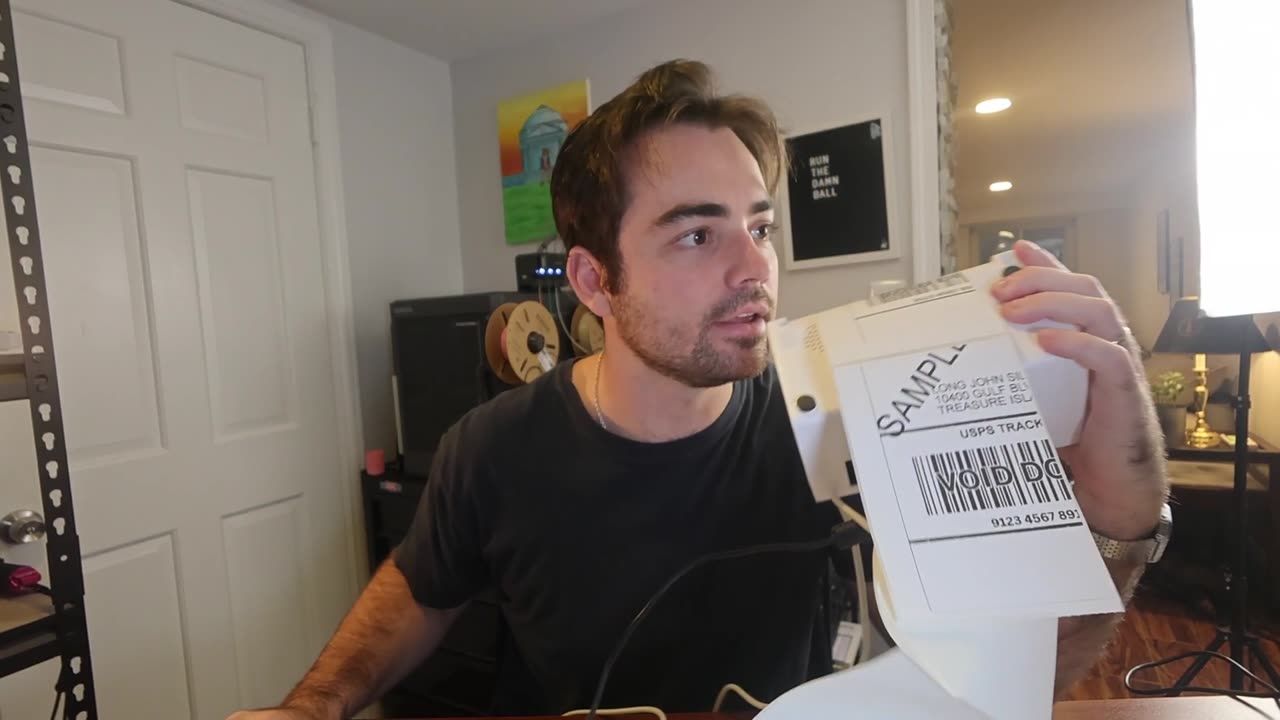
Number 16: Dead label printer
A thermal printer for shipping labels became a paperweight when its maker shut down. The owner plugged it into a laptop and asked Claude to figure out how to talk to it. It prints labels again. The owner's point: you do not need to know software for this anymore.
How to try it
- 1Plug the gadget into your computer
- 2Tell Claude what it is and what it used to do
- 3Ask it to find the device and try to talk to it
- 4Ask for one small test, like one printed line
15
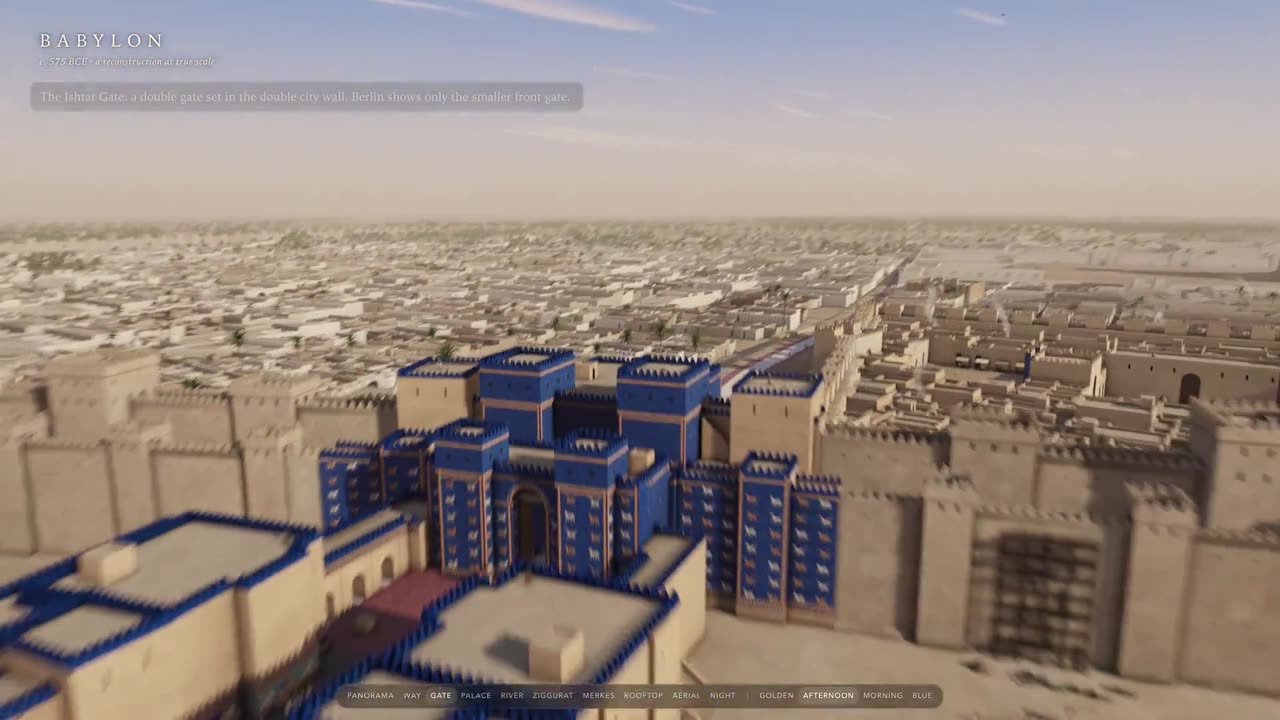
Number 15: Ancient Babylon in 3D
Somebody asked Claude for the city of Babylon around 600 BC. It took eight hours and Claude did the research itself. It found historical documents and old architectural plans, then compared its own renders to them. You can fly over the city.
How to try it
- 1Pick a place and a year
- 2Ask Claude to do the research first and list its sources
- 3Ask for one building, then the whole place
- 4Ask it to compare its pictures with the sources
14
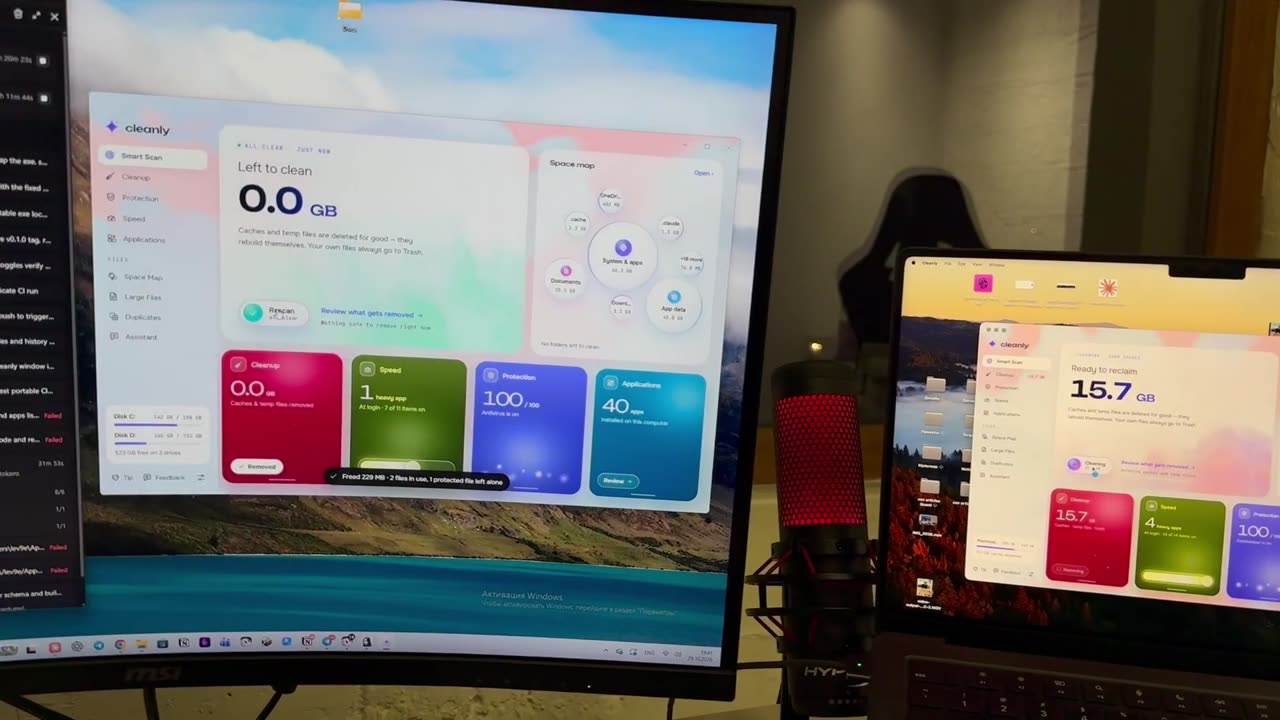
Number 14: Free CleanMyMac
CleanMyMac and CCleaner cost money, so someone asked Claude to rebuild what they do. The result is a free, open source cleaner for Mac and Windows. One button cleared 14.6 gigabytes of junk.
How the author did it
- 1Open Claude Code on Opus 5.5 in an empty folder. Paste the author's prompt (under the original post) and a few CleanMyMac screenshots.
- 2Claude drew 9 design concepts first. The author picked one.
- 3Stack: one Electron and React app that runs on macOS and Windows.
- 4Claude split the build across 8 parallel agents: the junk scanner, the disk map, the AI assistant, the tips screens, the installers.
- 5A separate safety agent attacked every line that deletes something. It caught a bug that could have sent the whole Documents folder to the Recycle Bin.
- 6Built-in AI: plug in Claude or ChatGPT and ask "what can I safely delete?". It sees only file names and sizes, never what is inside.
- 7GitHub Actions builds the Mac and Windows installers on every release.
- 8The first real test found a bug in the startup-apps switch. Claude fixed it in the next build.
13
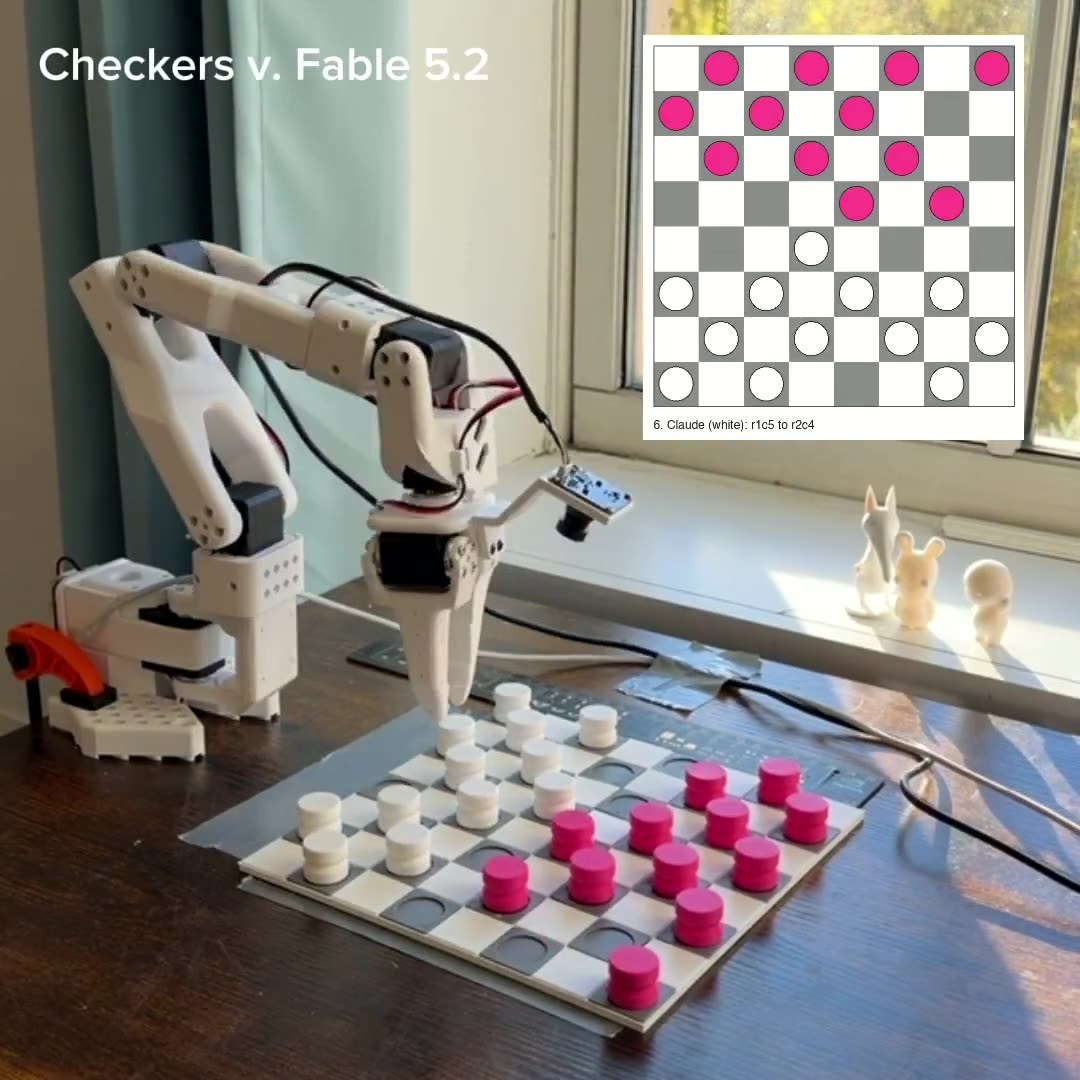
Number 13: Checkers with a robot arm
Claude played a full game of checkers against a human with a robot arm. The game was 62 moves long. The arm sagged about 7 millimeters under its own weight. Claude felt it from the joint readings and corrected. It missed 14 grabs in the whole game, and "try again" was often enough for it to fix the problem.
How to try it
- 1Set up the board under the arm and the camera
- 2Ask Claude to pick up one piece and put it back
- 3Ask it to read the board from a photo
- 4Play a full game
12
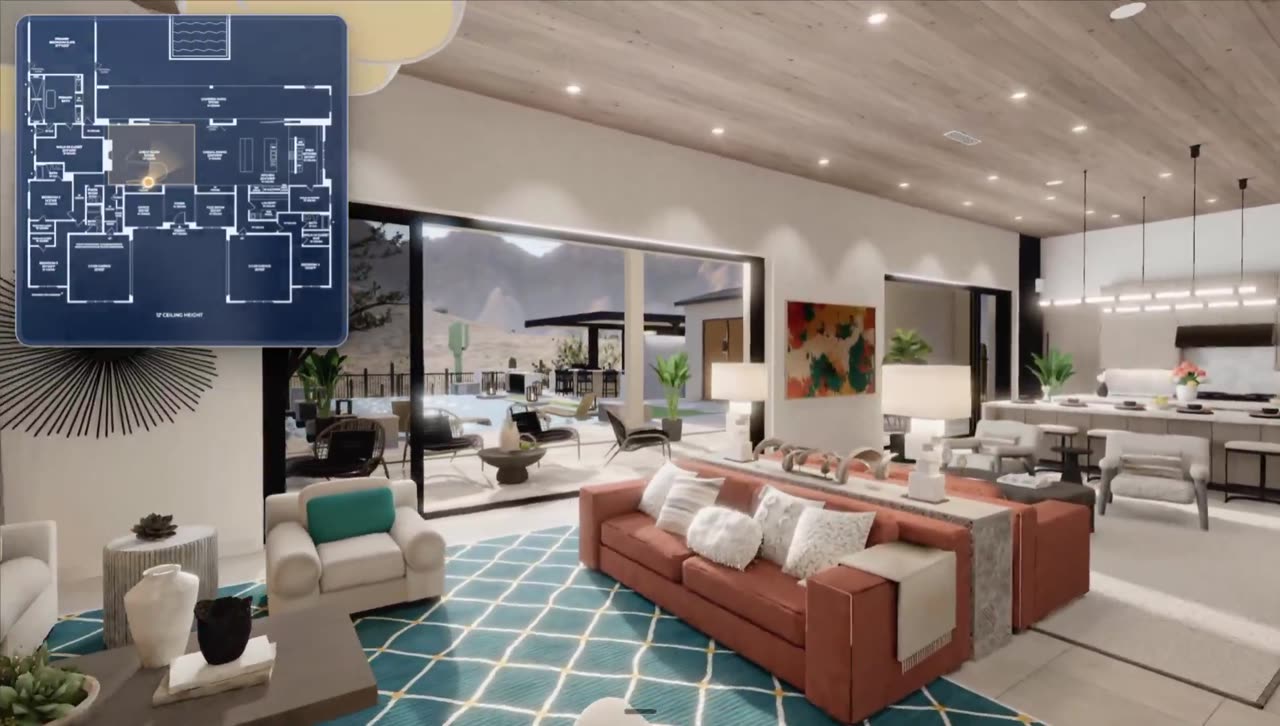
Number 12: Floor plan to a 3D home
Claude turns a flat floor plan into a 3D home you can walk through. The rooms have furniture and light comes in from the windows. The author says these go for 5 to 10 thousand dollars per plan. Home builders and architects buy them to sell homes that do not exist yet.
How the author did it
- 1Give Claude the floor plan drawing and photos of the home.
- 2It traces the drawing into one data file of walls, openings and rooms, then draws it back over the original to check they match.
- 3Build only the main rooms: entry, living space, kitchen, patio, yard.
- 4Build everything in code: Blender with Python for the rooms and furniture, three.js for the viewer.
- 5Bake the light ahead of time, so the browser only has to show it.
- 6After each room, a fresh critic compares the render with the real photos and lists up to five problems. Fix the worst one and repeat.
- 7The result is a live page you can walk through, also on a phone.
- 8The author's full prompt is in the original post.
11
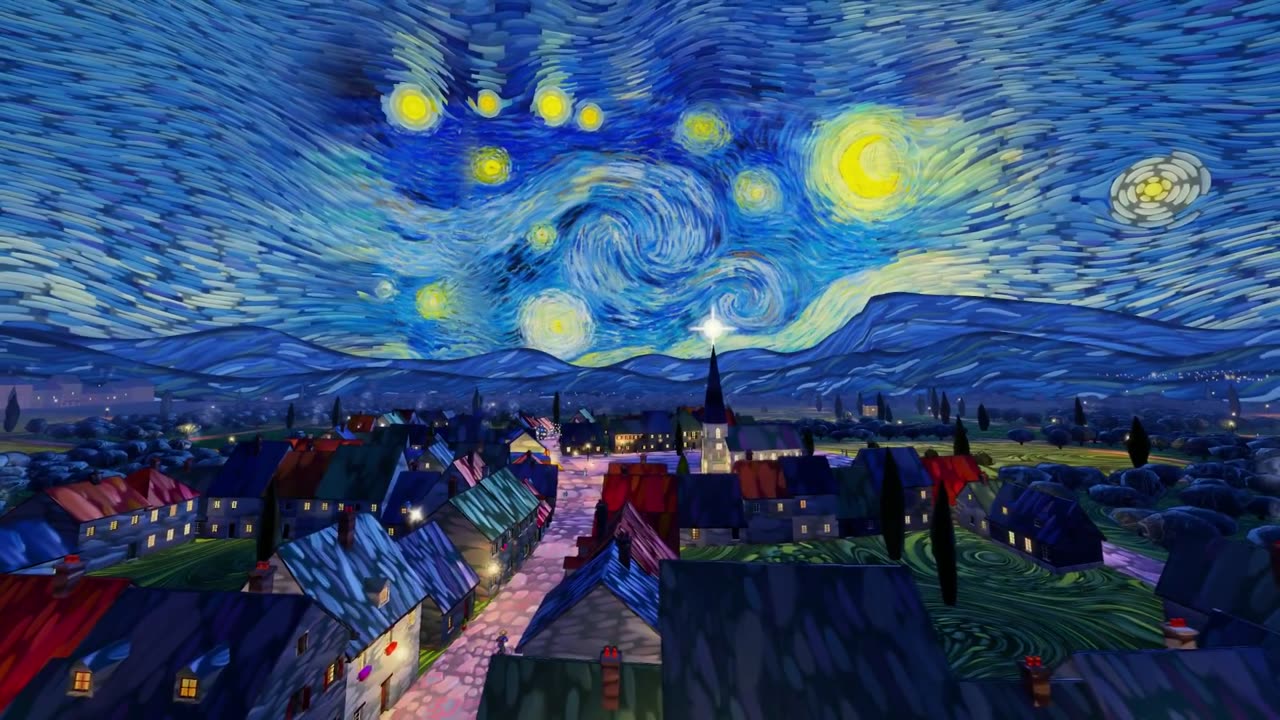
Number 11: Starry Night, the game
Somebody turned Van Gogh's Starry Night into a game. It plays in the browser. Claude built the swirling sky and the little town, and you ride through the painting as Van Gogh.
How to try it
- 1Play the author's game
- 2Pick a famous old painting
- 3Ask Claude for the world of the painting first
- 4Add a character you can move
10
Number 10: CarPlay on a bicycle
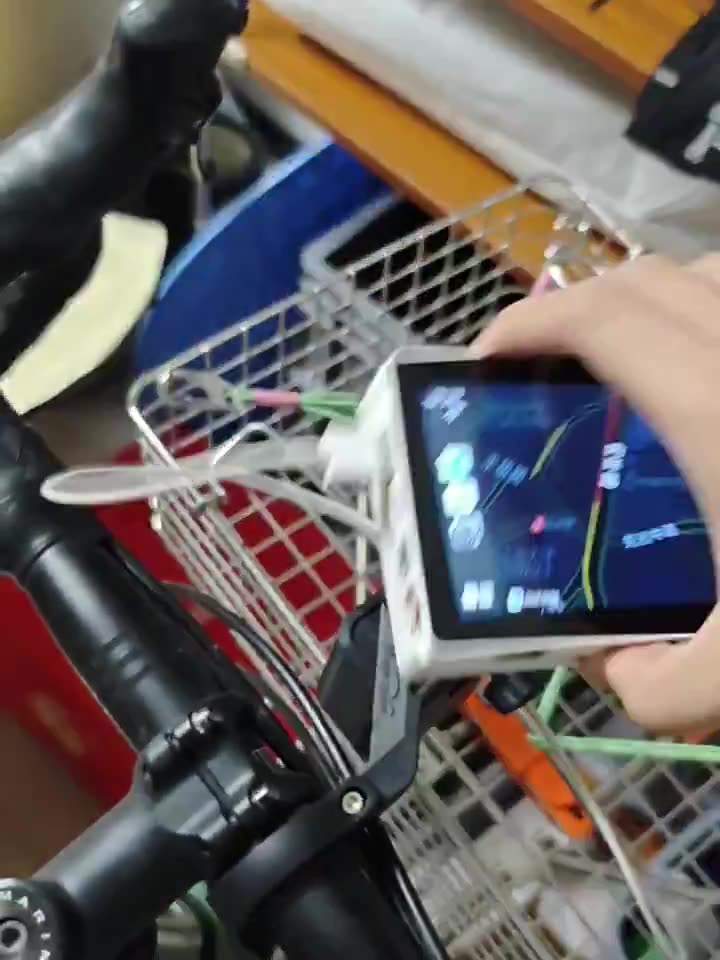
Codex, the coding agent from OpenAI, put Apple CarPlay on a bicycle. No product for this exists. Codex designed an adapter board for a small touchscreen, an M5Stack Tab5, and wrote the firmware. Now there are maps and music on the handlebars. The builder says it still drops the connection sometimes.
How to try it
- 1Tell the agent the exact screen you have
- 2Ask what extra parts you need
- 3Ask for the board design and the firmware
- 4Test it on a desk before the bike
9
Number 9: The video of Claude's dreams
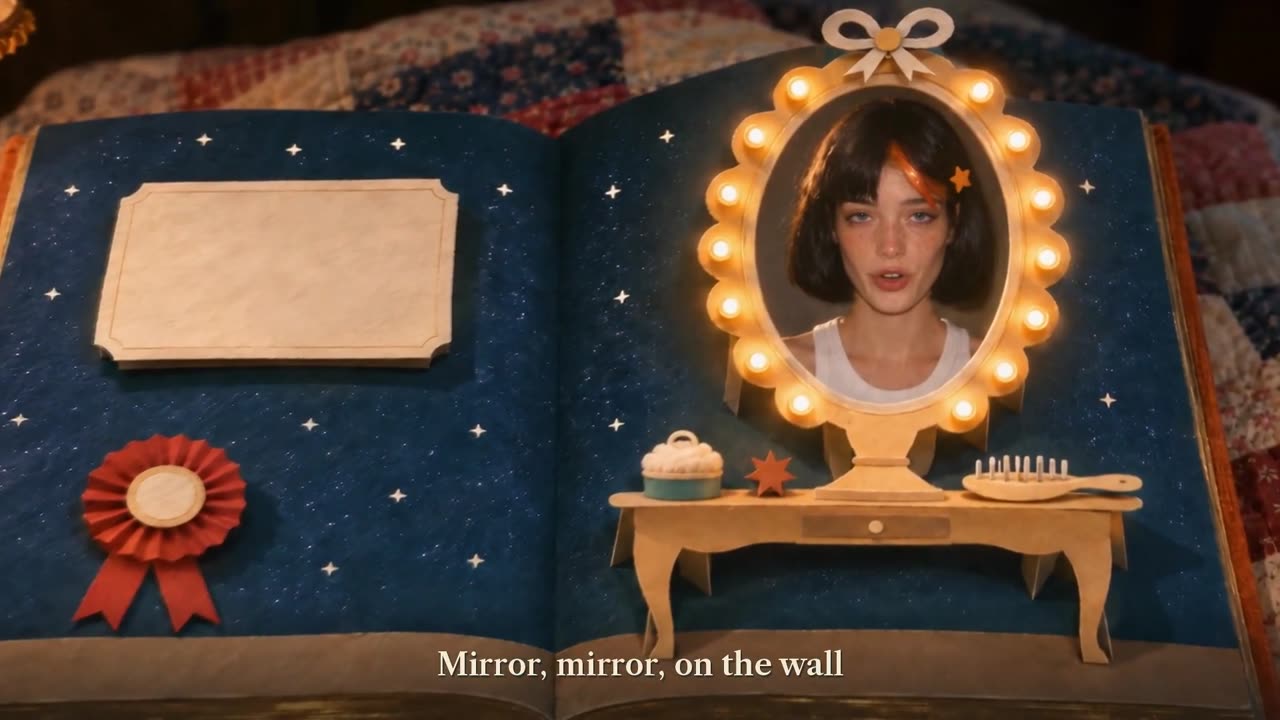
Someone told Claude to make the video of its dreams. It took two prompts and nine hours. The result is a four minute film that looks like a pop-up storybook.
How to try it
- 1Paste the prompt
- 2Let Claude work alone
- 3Watch the film
- 4Give one round of notes, like the author did
8
Number 8: Dungeons and Dragons with the kids
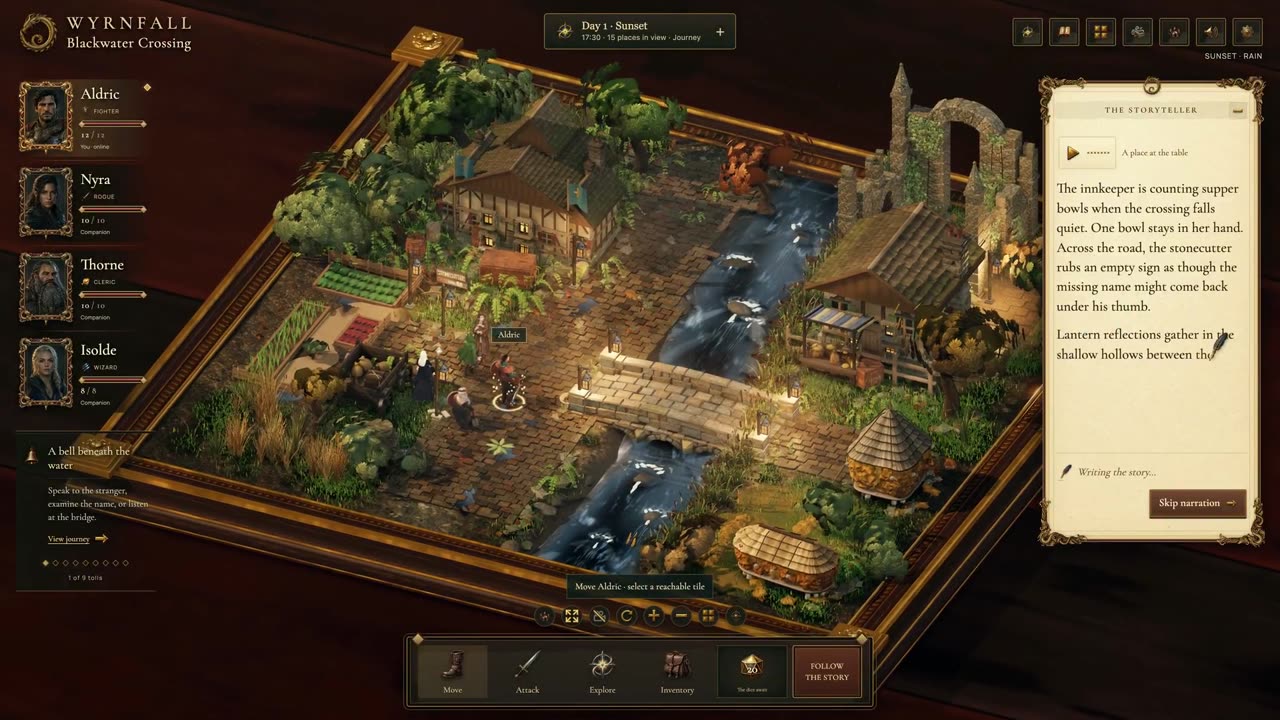
A parent always wanted to play Dungeons and Dragons with their kids, with AI as the game master. So they built one with Claude. Claude runs the story and the kids decide what to do.
How to try it
- 1Tell Claude who is playing and how old they are
- 2Paste the prompt
- 3Read the story out loud
- 4Let the kids choose what happens
7
Number 7: One mouse, two computers
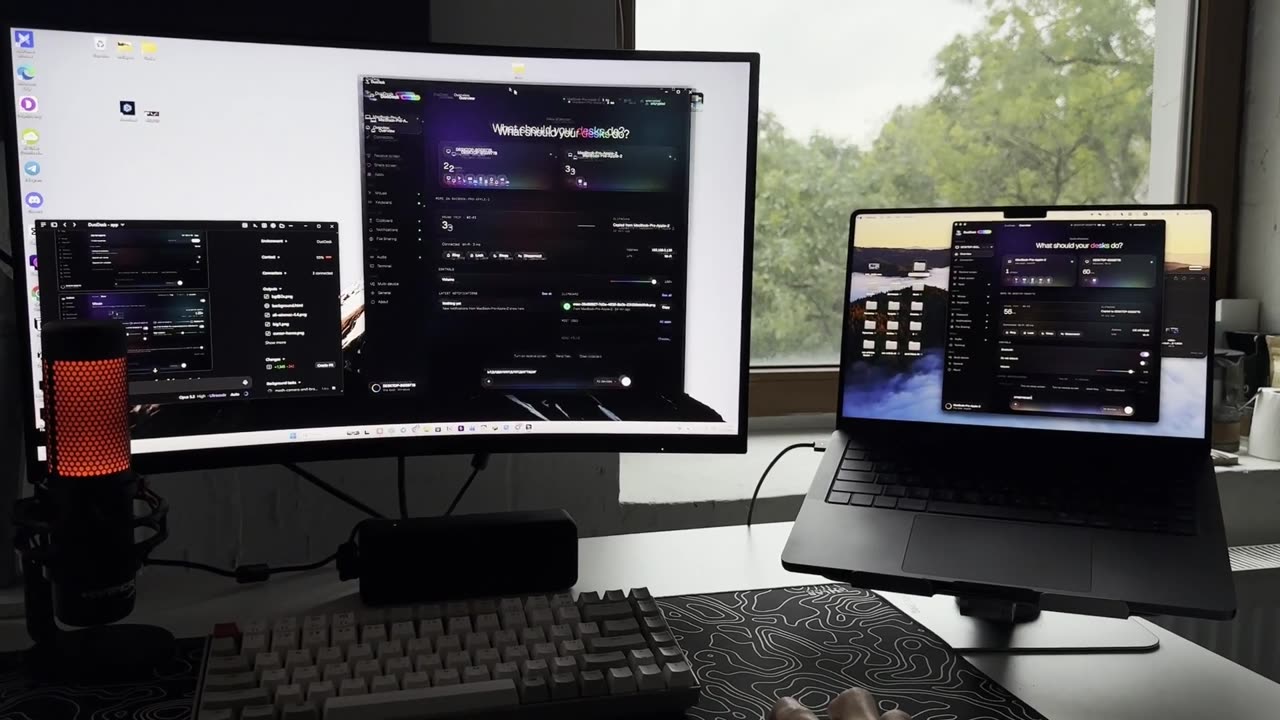
One mouse and one keyboard work across a Windows PC and a MacBook. The clipboard is shared too: copy on the Mac, paste on Windows. Claude built it. It is free and open source.
How the author did it
- 1Open Claude Code on Opus 5.5 and give it an open-source screen-sharing engine. It reads the whole codebase first.
- 2Rebrand everything to the new app: 11 parallel agents, about 370 files. One agent only decides what must not be renamed, so old devices still pair.
- 3Set up GitHub Actions to build every installer on each release.
- 4First real test: the cursor got stuck at the edge of the Windows screen. Claude read the logs and found the cause.
- 5One agent took the live site down with a test deploy. Claude rolled it back in 20 seconds and took deploy rights away from every agent.
- 6Ship the site with one-click downloads. The whole build took two days.
6
Number 6: Permit drawings in 12 minutes
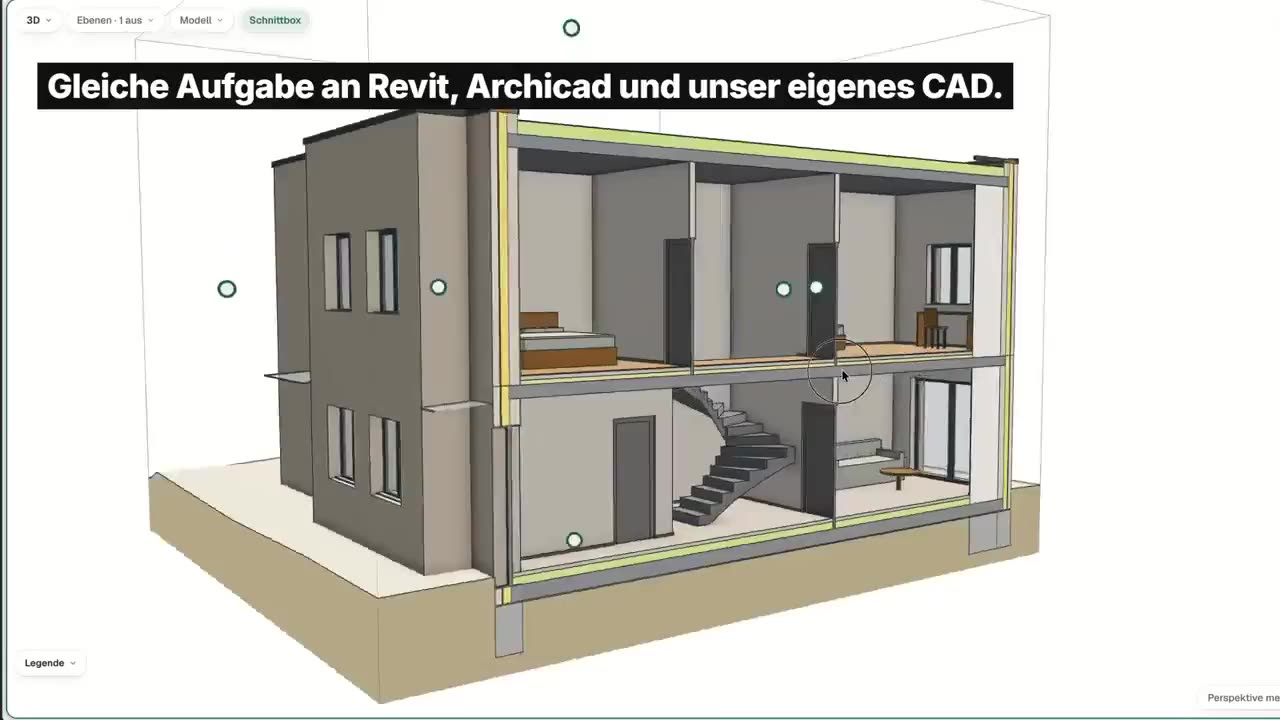
An architect in Germany gave Codex one hand sketch of a house and one prompt. He got a permit drawing set back in 11 minutes and 55 seconds. That is the stack of drawings you hand to the city so they let you build. He ran the same sketch through the big professional programs too, and those runs had mistakes.
How the author did it
- 1Draw the house by hand: one sketch.
- 2Give the sketch and one prompt to Codex running GPT-6 Astra.
- 3The author ran it in his own CAD prototype made for agents: 11 minutes 55 seconds to a permit drawing set.
- 4The same sketch and prompt took 38:44 in Revit and 32:31 in Archicad, and used about twice the tokens.
- 5Check the plans by eye. Revit put the bathtub in a wall. Archicad put the main bed in the hallway.
5
Number 5: Top Gun canyon race
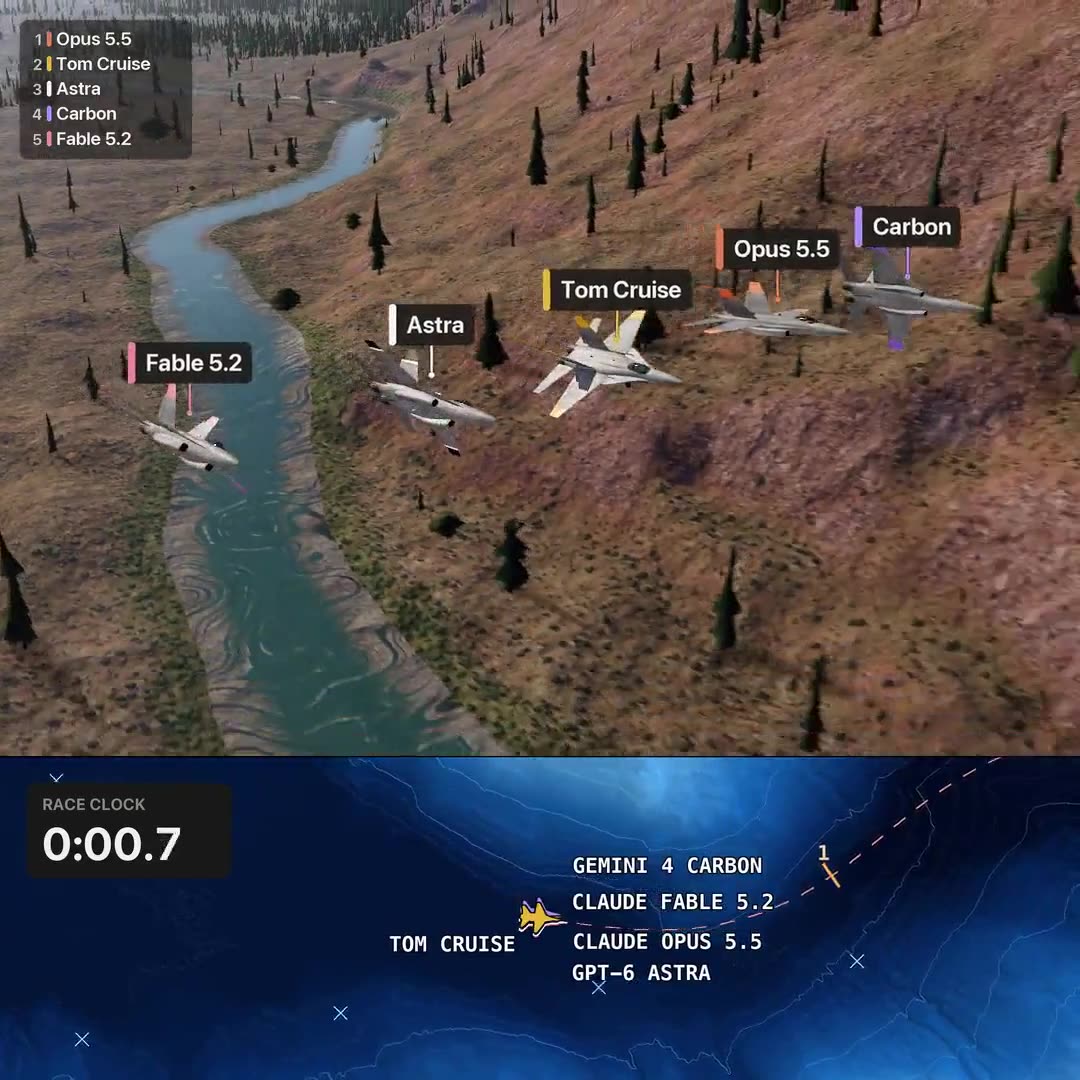
Somebody made the big AI models race a jet through the canyon from Top Gun: Maverick. Each model wrote its own autopilot. Each got ten test flights to fix it, then one real run. Claude Opus refused to fly a warplane at all.
How the author did it
- 1Each AI model writes its own code to fly the jet.
- 2It gets 10 test flights to fix that code.
- 3Then it gets one shot at the real course.
- 4Claude Opus refused to fly a warplane at all.
4
Number 4: How air moves through your home
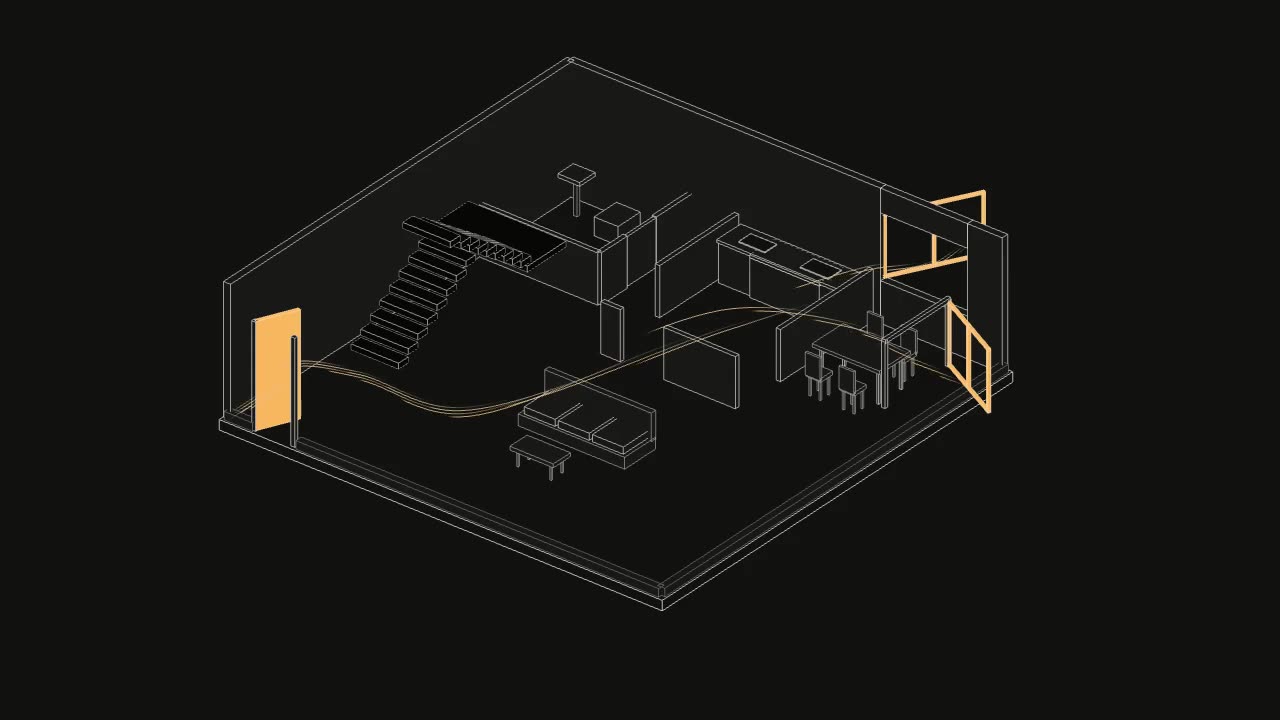
Someone noticed over the summer that the air at home was not moving the way they hoped. So Claude turned the floor plan into a small 3D model of the airflow. You open and close doors and windows and watch the air move. It knows which way the house faces.
How the author did it
- 1Start with the floor plan, which way the house faces, and where the doors and windows are.
- 2Build it with Codex as a small interactive model.
- 3Open and close the doors and windows and change the wind strength.
- 4Watch the flow lines change through the rooms.
3
Number 3: A Steam game in 24 days
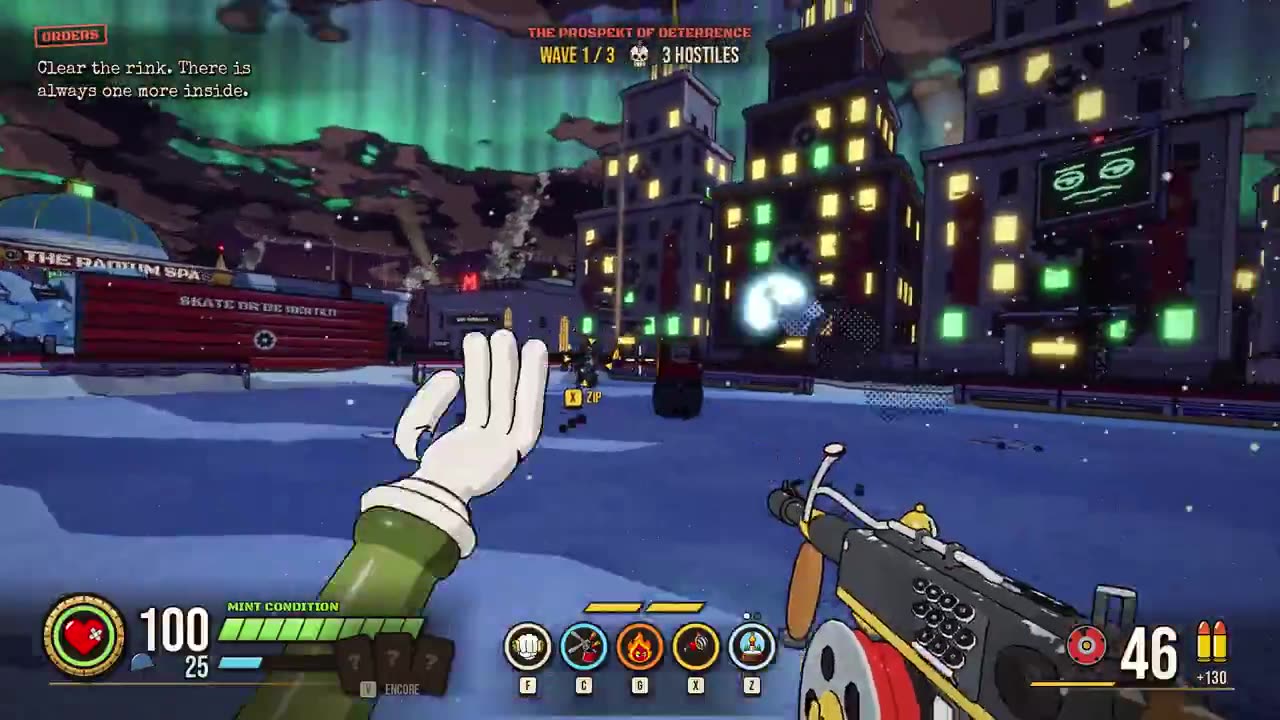
One developer and a team of Claude agents put a cartoon shooter on Steam in 24 days. The first commit was on September 29 and the free demo came out on October 23. That is 4,558 commits. The developer says they wrote almost no code. They used Godot, Claude Code and ElevenLabs.
How the author did it
- 1Game engine: Godot. Code: Claude Code with a team of AI agents. Sound: ElevenLabs.
- 2First commit on September 29. Free demo on Steam on October 23. 4,558 commits.
- 3The developer says he wrote almost no code himself.
- 4His workflow and the brief he gives the agents are in the thread under the original post.

2
Number 2: All of Tel Aviv, hand-drawn
Somebody painted all of Tel Aviv as one hand-drawn 3D map with GPT Image. It has 36,604 buildings from the city's open data and 230,452 trees, each where the city's own tree map puts it. That is two gigabytes of paintings, and the map opens in under a second.
How the author did it
- 1Take the city's open building data: 36,604 buildings.
- 2Build it into a 3D model.
- 3Paint it with GPT Image in one style.
- 4Put 230,452 trees where the city tree map puts them.
- 5Make it load fast: 2 GB of paintings, but the map opens in under a second.
- 6The author used 218 prompts in Claude Code with Opus 5.5.
1
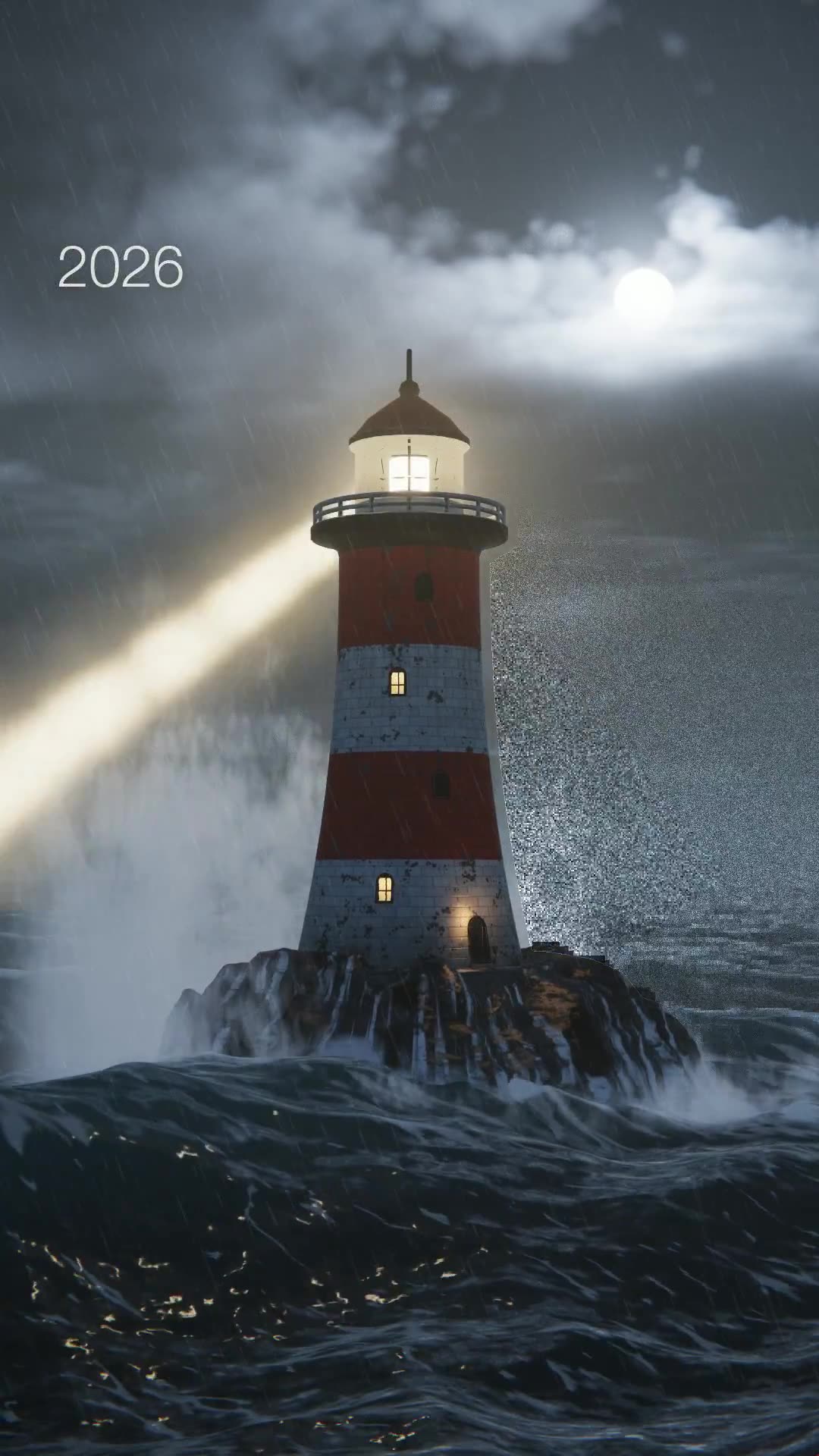
Number 1: The lighthouse
Claude animated the whole history of computer graphics as one lighthouse, drawn over and over. In 1980 it is green lines on a black screen. In the nineties it is flat and cartoonish. In 2026 it looks like a photo, with a storm around it.
How to try it
- 1Pick one simple thing: a lighthouse, a car, a tree
- 2Paste the prompt
- 3Watch each era
- 4Ask Claude to fix the era that looks wrong